Extra Vouchers on Trade Record Report
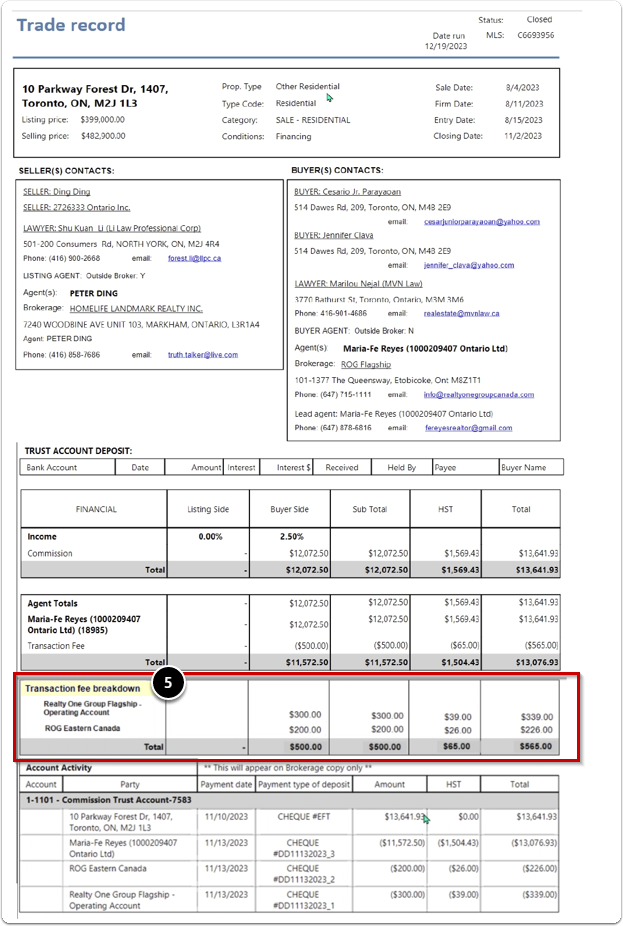
Transaction Fee Breakdown
A new section labeled "Transaction Fee Breakdown" was added to the broker of record copy of the Trade Record report. Provides a detailed breakdown of the additional charges associated with the transaction fee.
- The breakdown is displayed directly underneath the extra voucher in the transaction fee section.
- This section will be included only on the broker of record copy of the trade record sheet (the first page). It will not appear on the agent's trade record sheet.
Access to Trade Record Report
This report can be accessed from the Reports menu, or launched directly from the print button of a property record
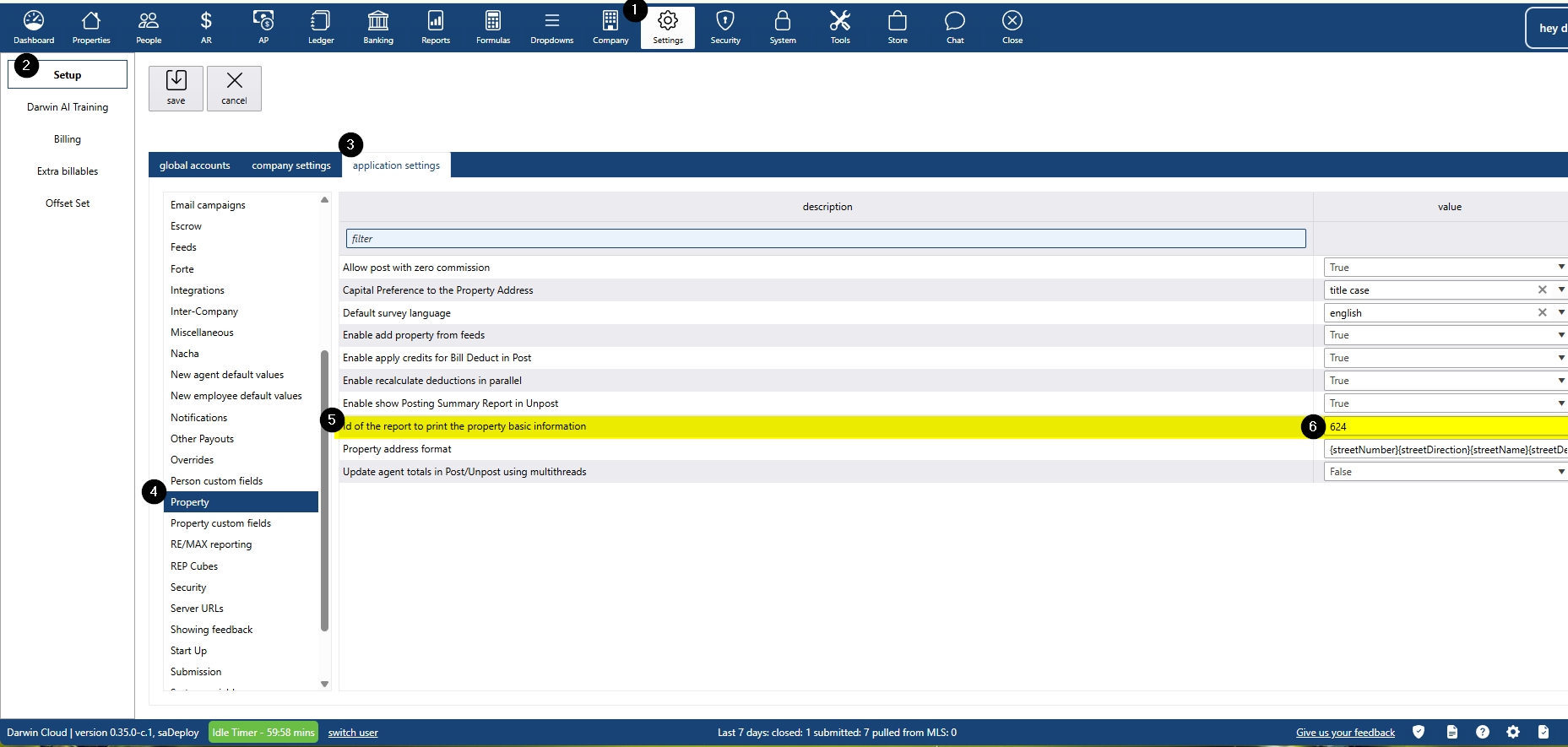
The report launched by clicking Print on a property record is determined by a setting under Settings > Setup > Application Settings. To set the Trade Record Report as the report to print from property records:
- Navigate to Settings > Setup > Application Settings > Property
Locate the setting ID of the report to print the property basic information, and set the value to 624
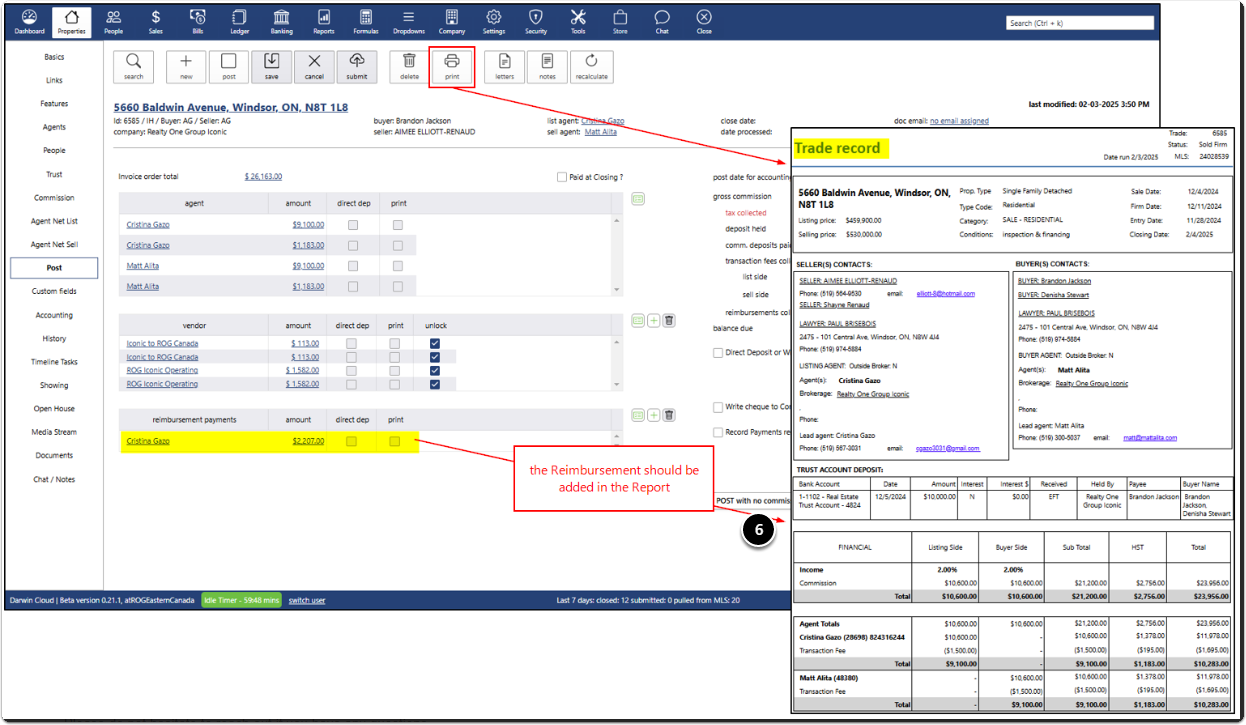
Reimbursement Payments on Trade Record Report
Reimbursements Section
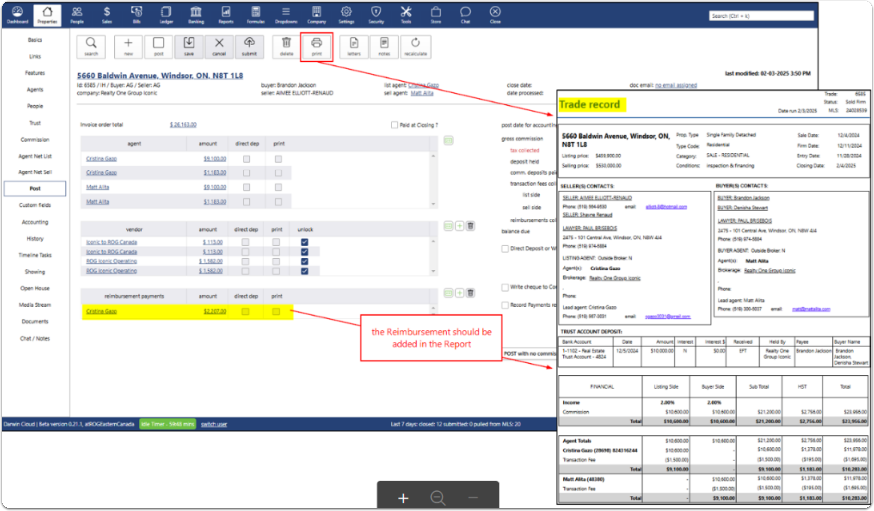
A new section labeled "Reimbursements" will be added to the Trade Record Report to reflect reimbursement transactions processed via Properties > POST.
Visibility and Allocation
- The company version of the Trade Record Report will include all reimbursement items
- Agent-specific reports will display only the reimbursements paid to that specific agent
- Reimbursements unrelated to the agent receiving the report will not be displayed on that agent's version of the report
These enhancements will improve clarity and ensure that financial details are presented accurately to the appropriate recipients.
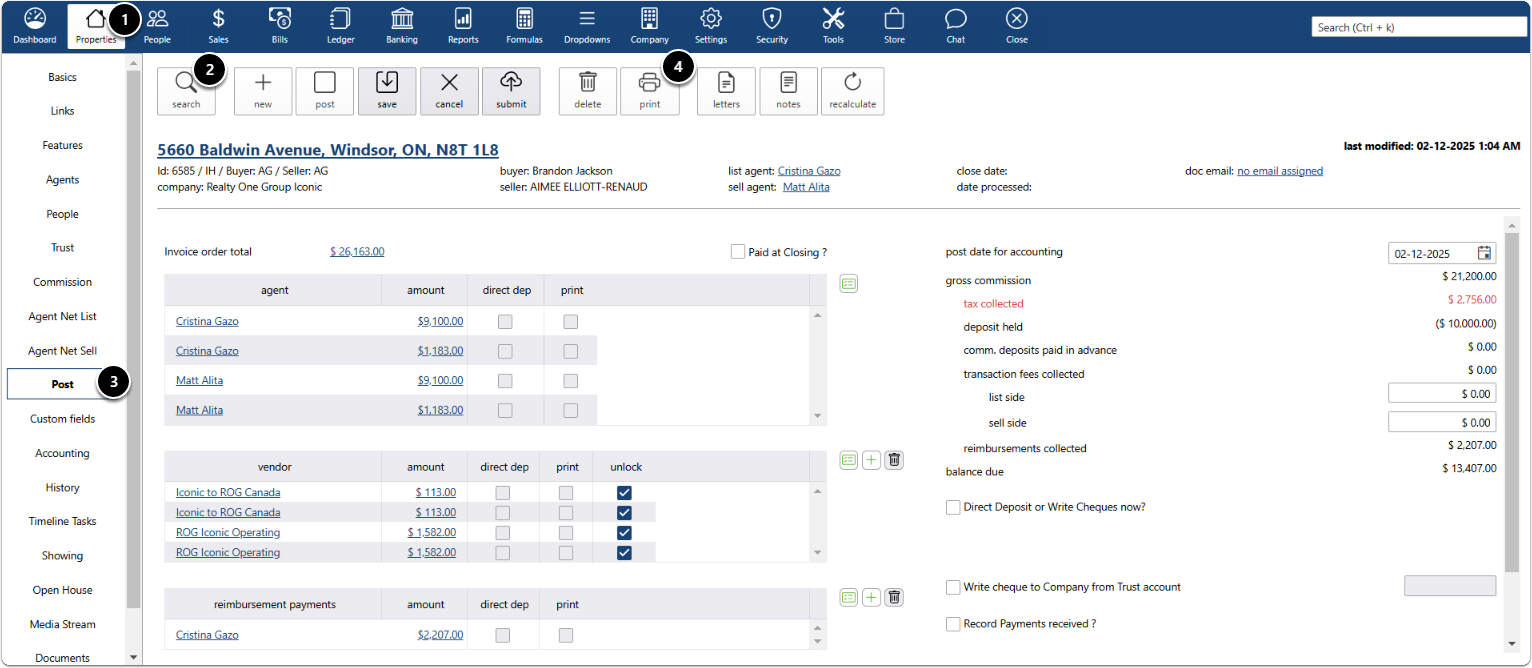
Print Trade report
- Click Properties menu
- Click search to find the property
- Click Post submenu
- Click print button
- See Transaction Fee Breakdown
- See Reimbursement