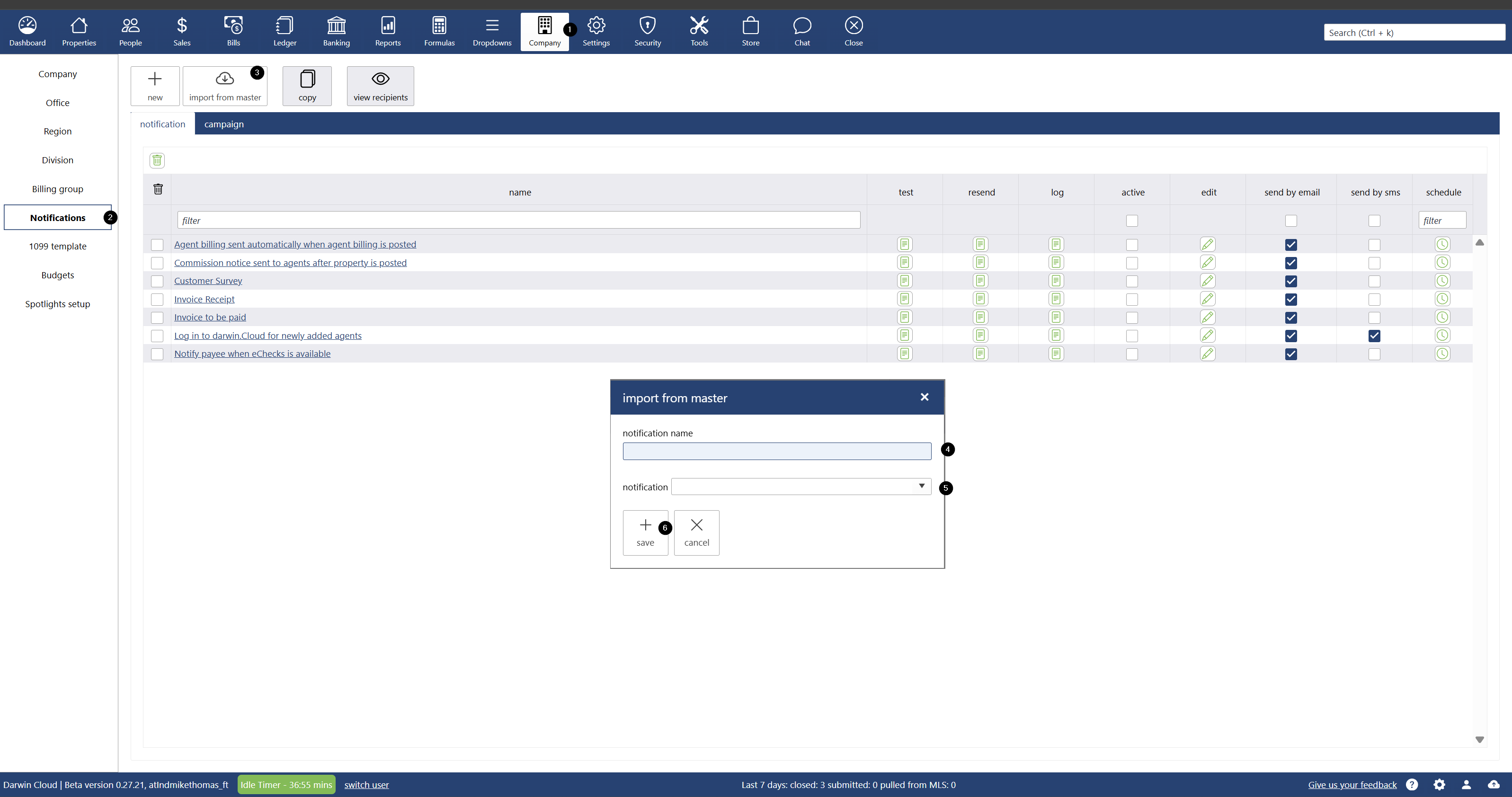
- Go to Company.
- Navigate to the Notification section.
- Click the Import from Master button.
- A pop-up window will appear.
- In the pop-up, enter the name you'd like to use for the notification being added to your database.
- In the Notification dropdown:
- Select the template you wish to use.
- You can type keywords such as invoice, listing, or open house to narrow the list.
Click Save to add the template.
NOTIFICATIONS - 📥 How to Add Master Templates in Notifications
Updated on