Overview
The implementation of two new submission types for Berkshire Hathaway HomeServices (BHHS) Franchise Reporting is now available.
These updates leverage an API to allow for seamless, real-time data synchronization, reducing manual entry and ensuring that each branch office remains compliant with franchise requirements.
New BHHS submission types
- BHHS Roster Sync
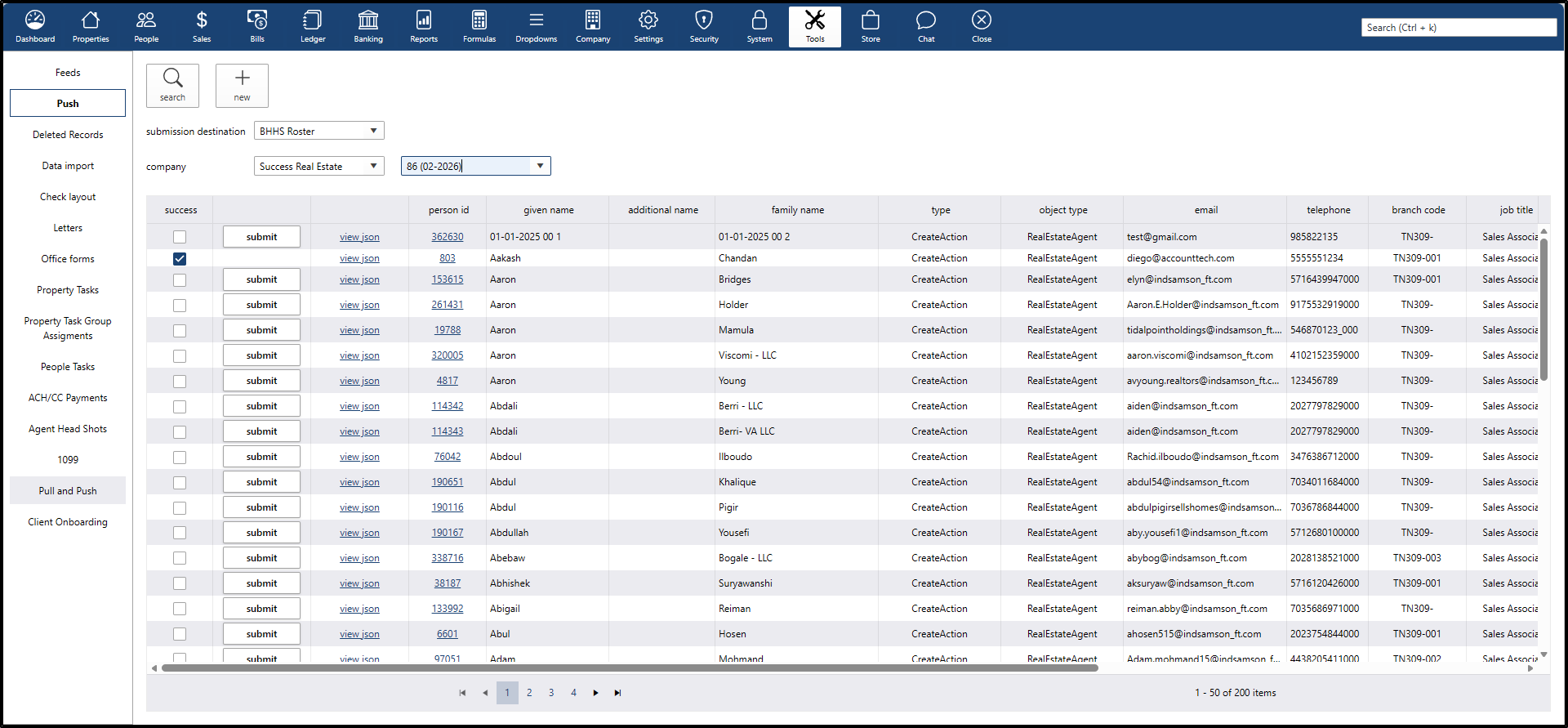
Maintaining an accurate agent roster is now automated. This feature synchronizes the local agent data with the BHHS master roster to ensure every agent is properly accounted for.
The Logic:
To prevent data duplication and maintain clean records, the API follows these specific rules:
- Active Agents Only: The system only pulls records for agents who are currently active (records that have not been deleted).
- Smart Matching: The sync specifically targets profiles that do not yet have a "BHHS Agent #" assigned.
- Auto-Population: Once the sync is successful, the official BHHS agent number is automatically written back to the agent’s profile, completing the link between systems.
Submission Process:
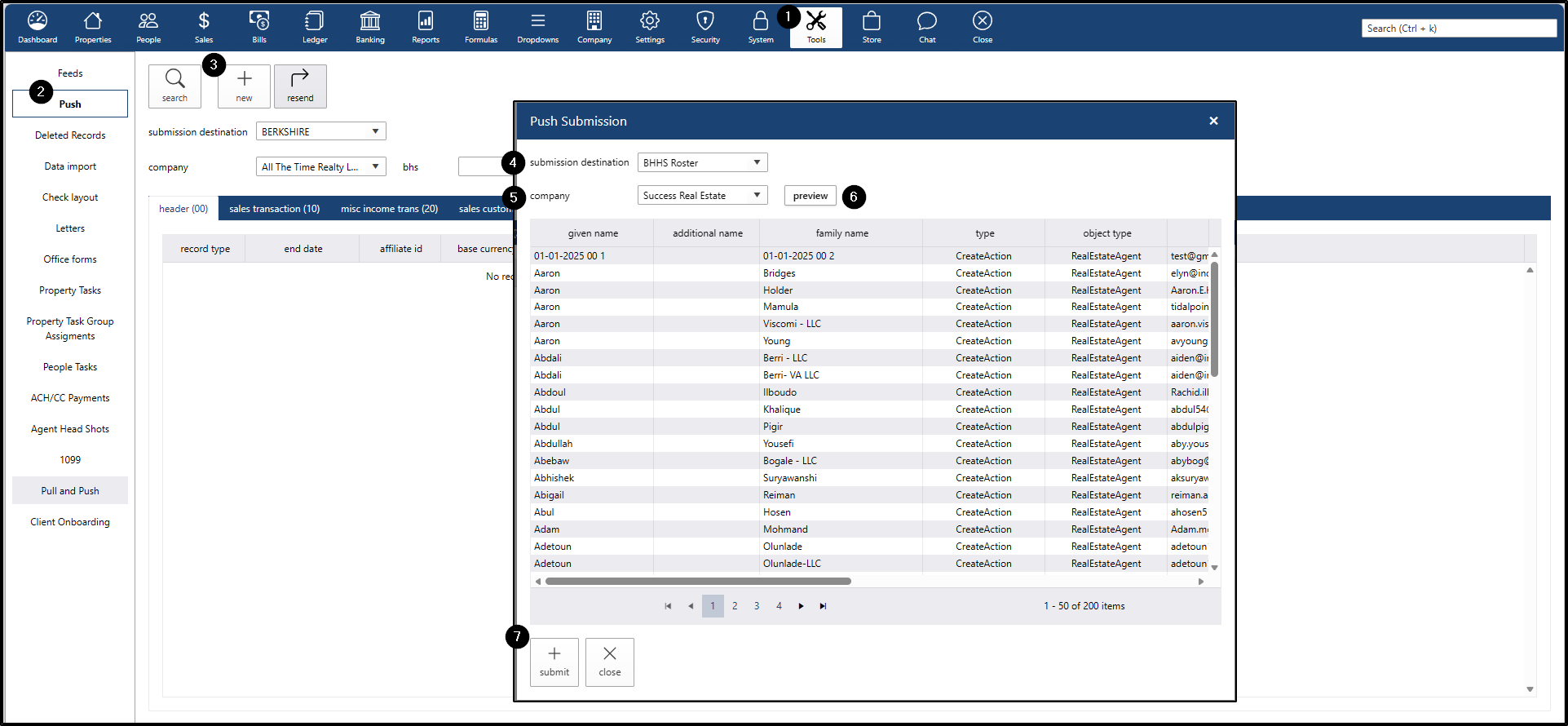
- Go to the Tools main menu
- Click the Push submenu
- Click the new button - darwin will open a pop-up window called Push Submission
From the Push Submission window:
- Select the submission destination to BHHS Roster
- Select the company
- Click the preview button
- Click the submit button
- BHHS Txns Closing
This submission type is designed specifically for Closed Transactions.
Submission Process:
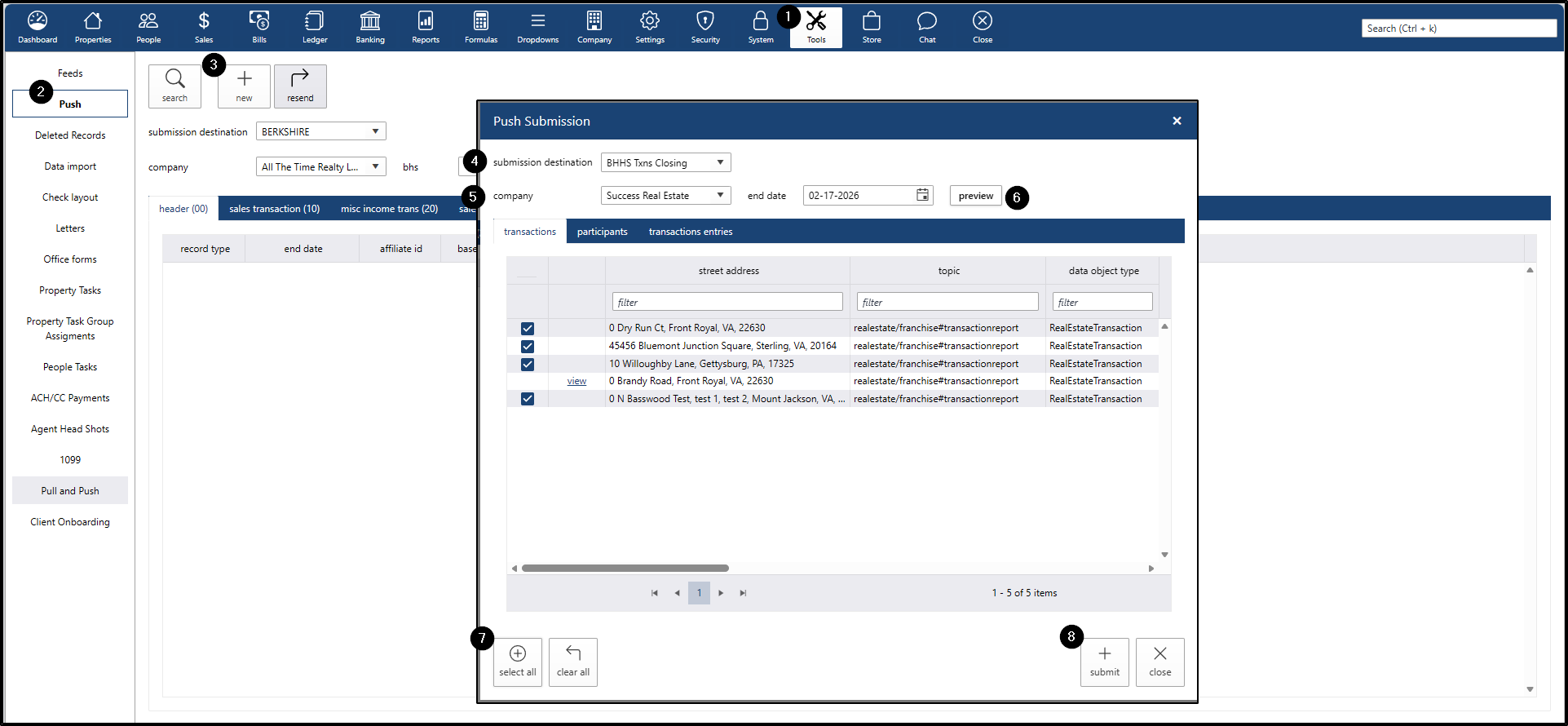
- Go to the Tools main menu
- Click the Push submenu
- Click the new button - darwin will open a pop-up window called Push Submission
From the Push Submission window:
- Select the submission destination to BHHS Txns Closing
- Select the company
- Click the preview button
- Click the select all button
- Click the submit button
Understanding Submission Statuses
darwin Cloud provides real-time feedback regarding the progress of data transmissions.
Below is a guide to interpreting the feedback:
The "In Progress" Status
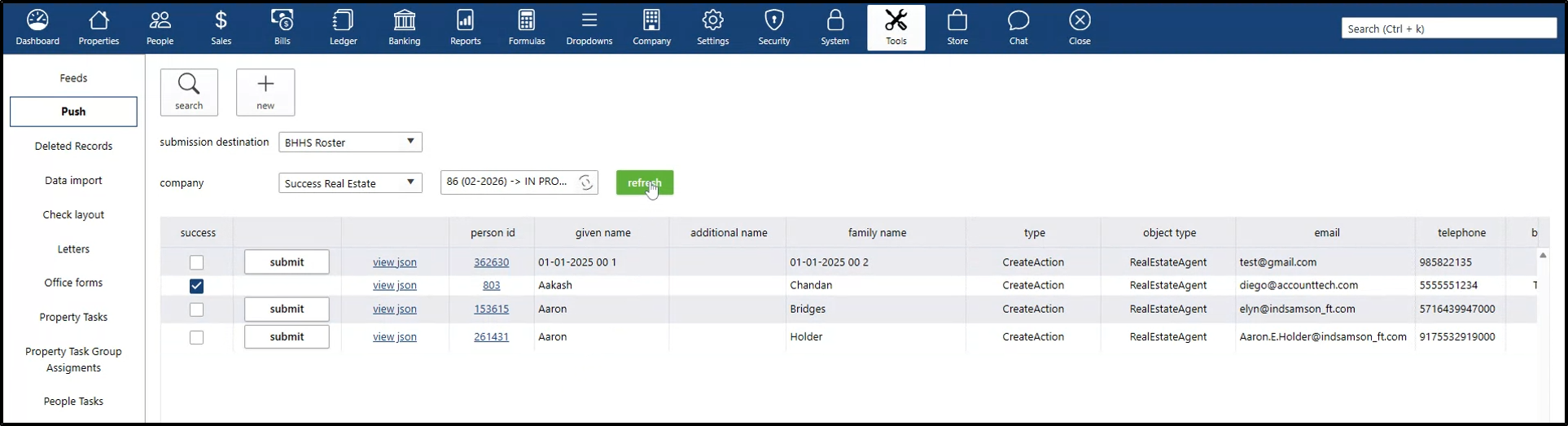
After clicking Submit, an "In Progress" label appears next to the submission, indicating the system is communicating with the BHHS API.
- Refresh Button: A refresh button remains visible during this stage and disappears once the submission process is complete.
Success vs. Fail Submission
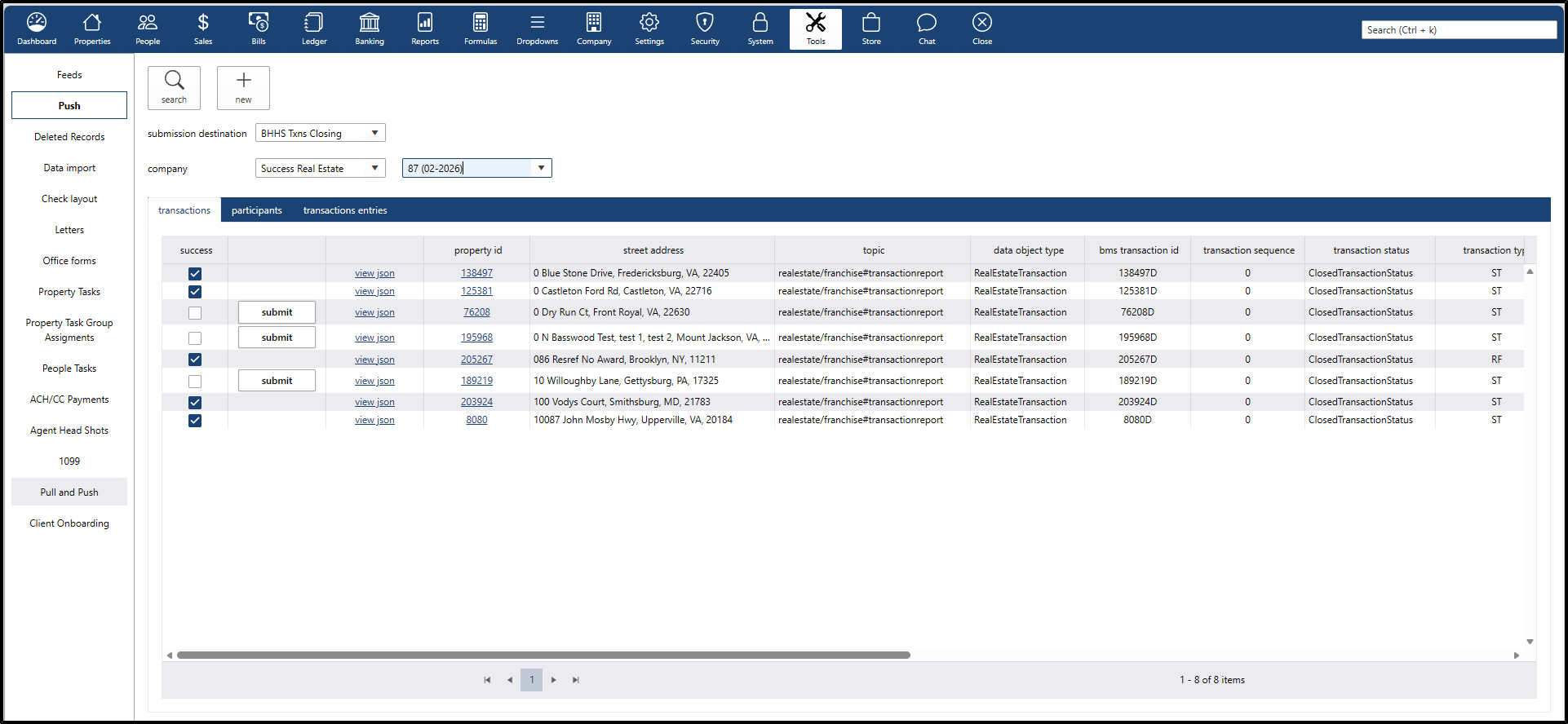
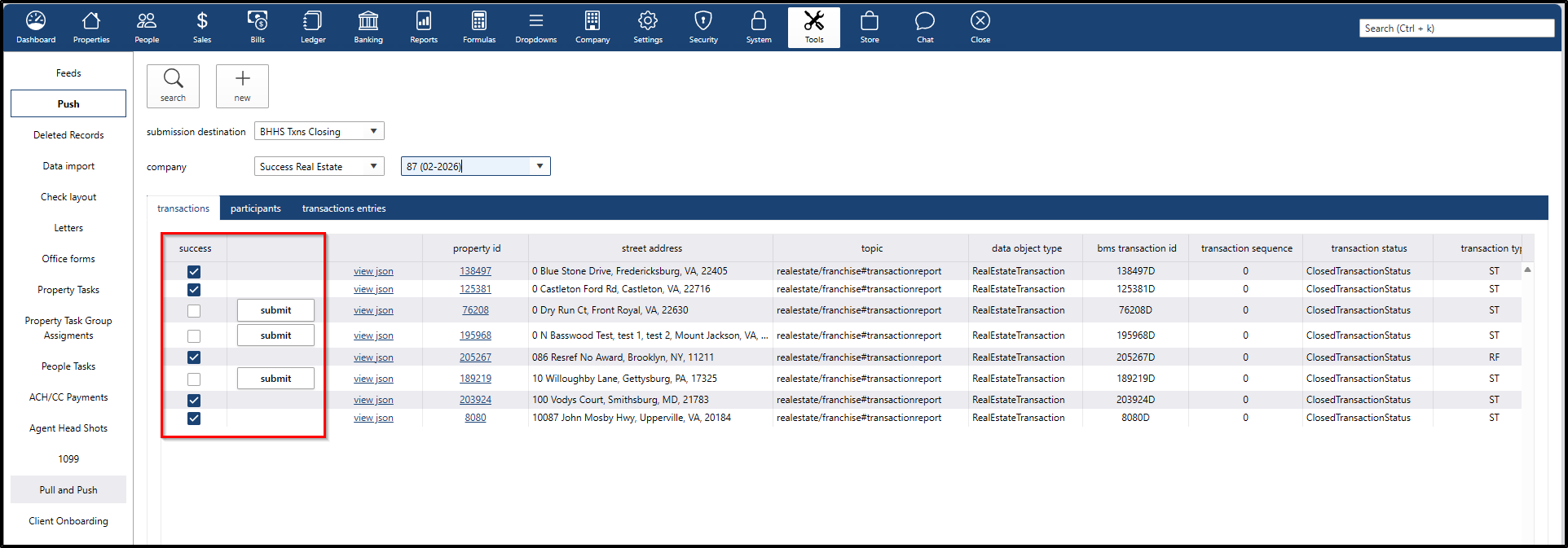
Each record is validated individually. Once the "In Progress" status clears, results are displayed as follows:
If the record is... | Then... |
|---|---|
Successful | The Success Checkbox is marked, and the Submit button disappears to prevent duplicate entries. |
Unsuccessful | The Success Checkbox remains empty, and the Submit button remains visible to re-attempt the sync. |
Error Handling
- If a submission is unsuccessful, the specific error message returned by the BHHS API is displayed in the last column.
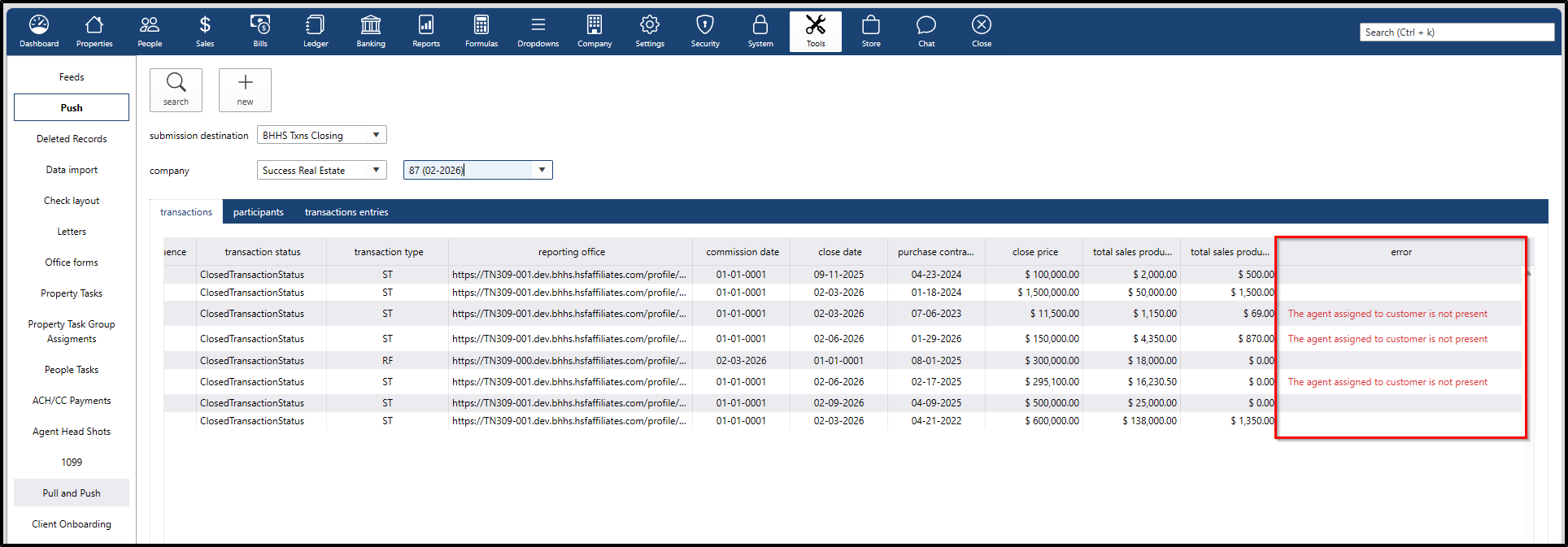
This allows for data correction before a re-submission is attempted.