Overview
This feature allows users to easily distinguish which overrides are still active versus those that have already completed, ensuring better visibility and control. By enabling targeted filtering for auditing, reconciliation, and review, it streamlines reporting and reduces the need for manual tracking of override limits outside the system. Overall, it improves accuracy, efficiency, and oversight in managing override activity.
New filter parameter and column added in the "Override Payments" report.
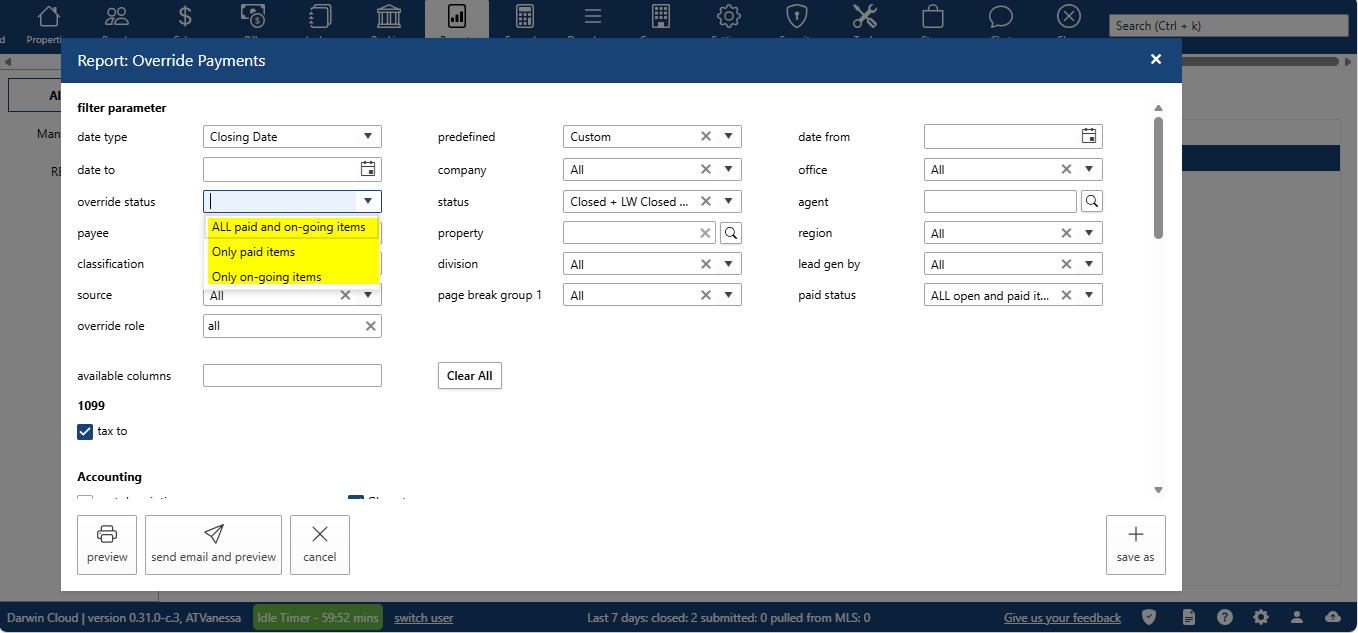
Filter Parameter
Override status:
All paid out and on-going items
Only paid out items
Only on-going items
2. Column
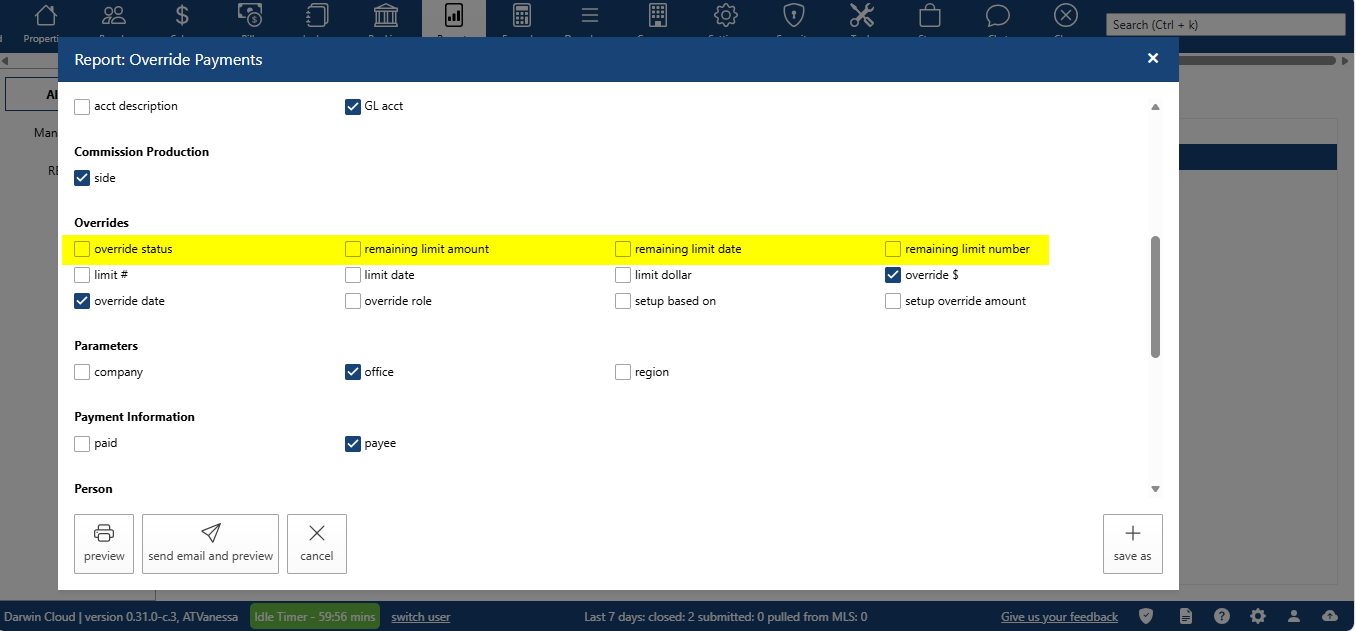
Overrides
Override status
Remaining limit $: Displays the remaining dollar amount available before the override setup is fully completed.
Remaining limit #: Indicates the number of additional transactions required to complete the override setup.
Remaining limit date: Shows the end date through which the override setup remains in effect.
The problem it aims to solve or the value it provides.
Easily identify which overrides are still active versus those that have already completed
Filter reports for auditing, reconciliation, and review purposes
Reduce manual tracking of override limits outside the system