Overview
This feature automates the agent billing process. It performs the same billing functions as the existing Sales > Invoices > Agent Billing feature, with two additional capabilities:
- Saved Settings & Scheduling – Configure billing preferences once and run them automatically on a daily, weekly, or monthly schedule.
- Automatic Payment Processing – Automatically charge agents who have authorized auto-pay using their preferred payment method.
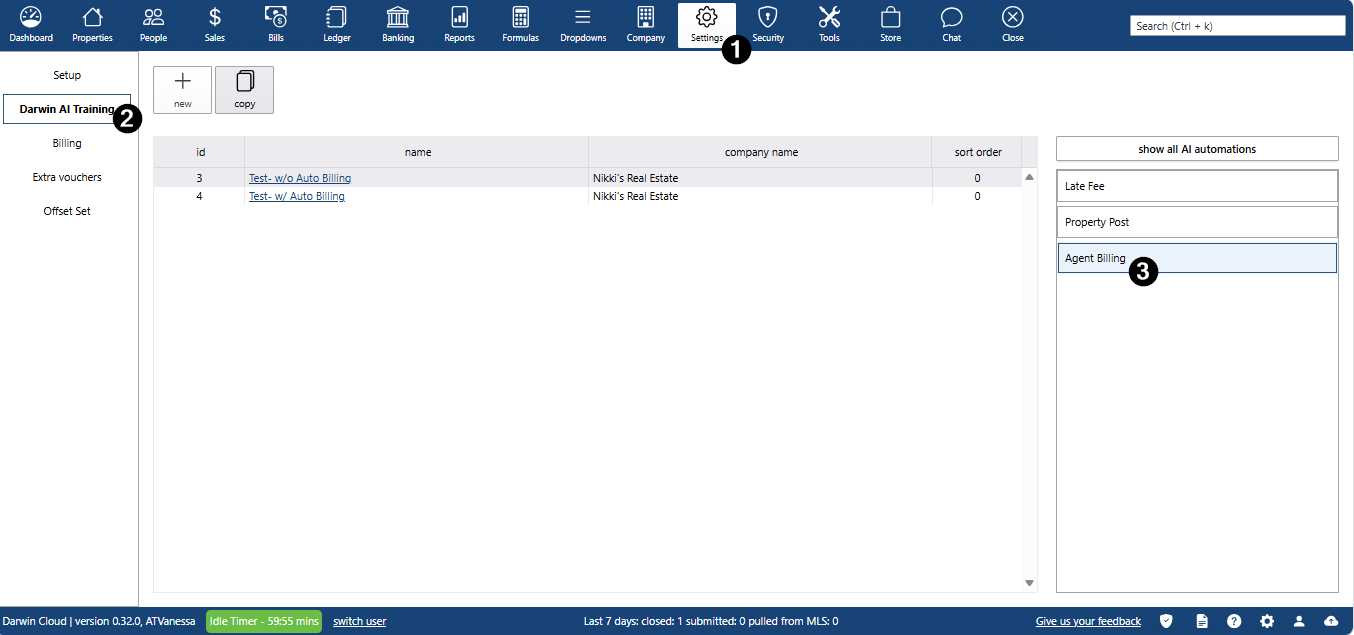
Configure and manage automated billing settings in Settings > Darwin AI Training under:
- Agent Billing
Agent Payment Processing (new section)
Agent Payment Method Setup
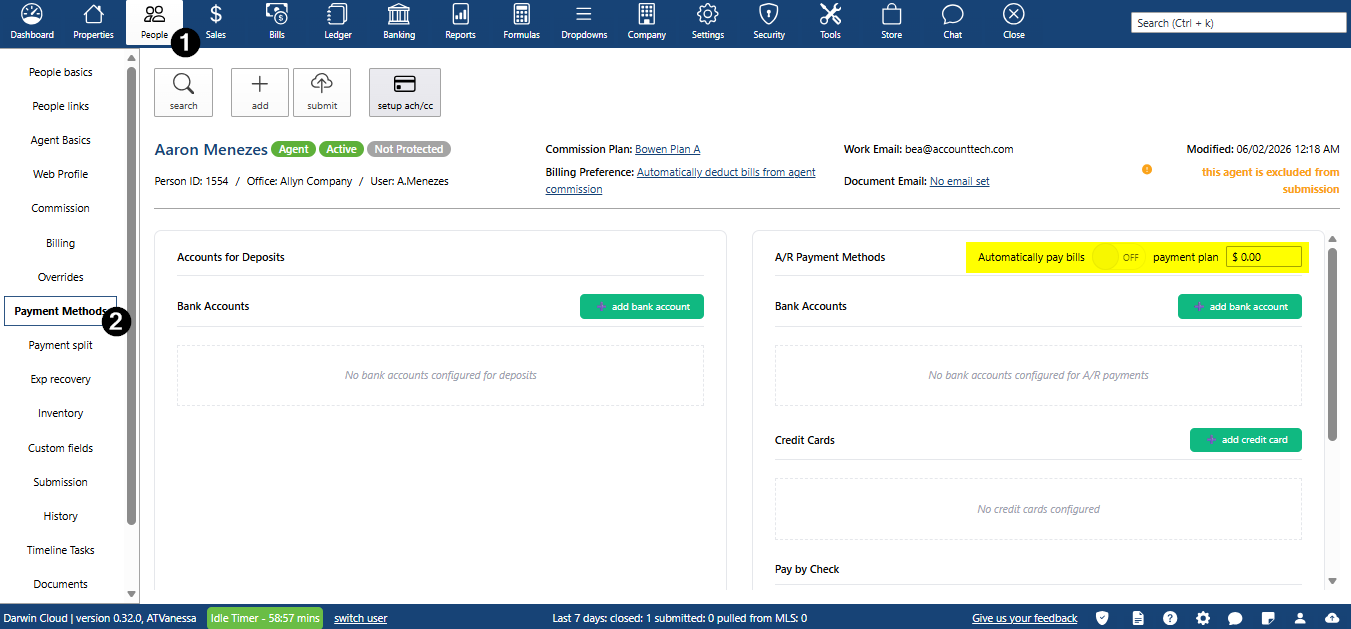
- Two fields on the People > Payment Methods screen control how an agent participates in automatic billing:
- Auto-Payment Authorization: A toggle that, when enabled, flags the agent as eligible to be charged automatically during a billing run.
Payment Plan: A field specifying the maximum amount that may be charged to the agent in a single billing cycle. If this field is empty or set to $0, the agent is charged for their full balance.