Feature Overview
Objective
Enable users to process Refund Excess Escrow directly from the Properties > Post screen, eliminating the need to navigate back to the Properties > Escrow tab and streamlining the posting workflow.
Refund Excess Escrow from the Post Screen
Steps to follow:
1. Open the Post Screen
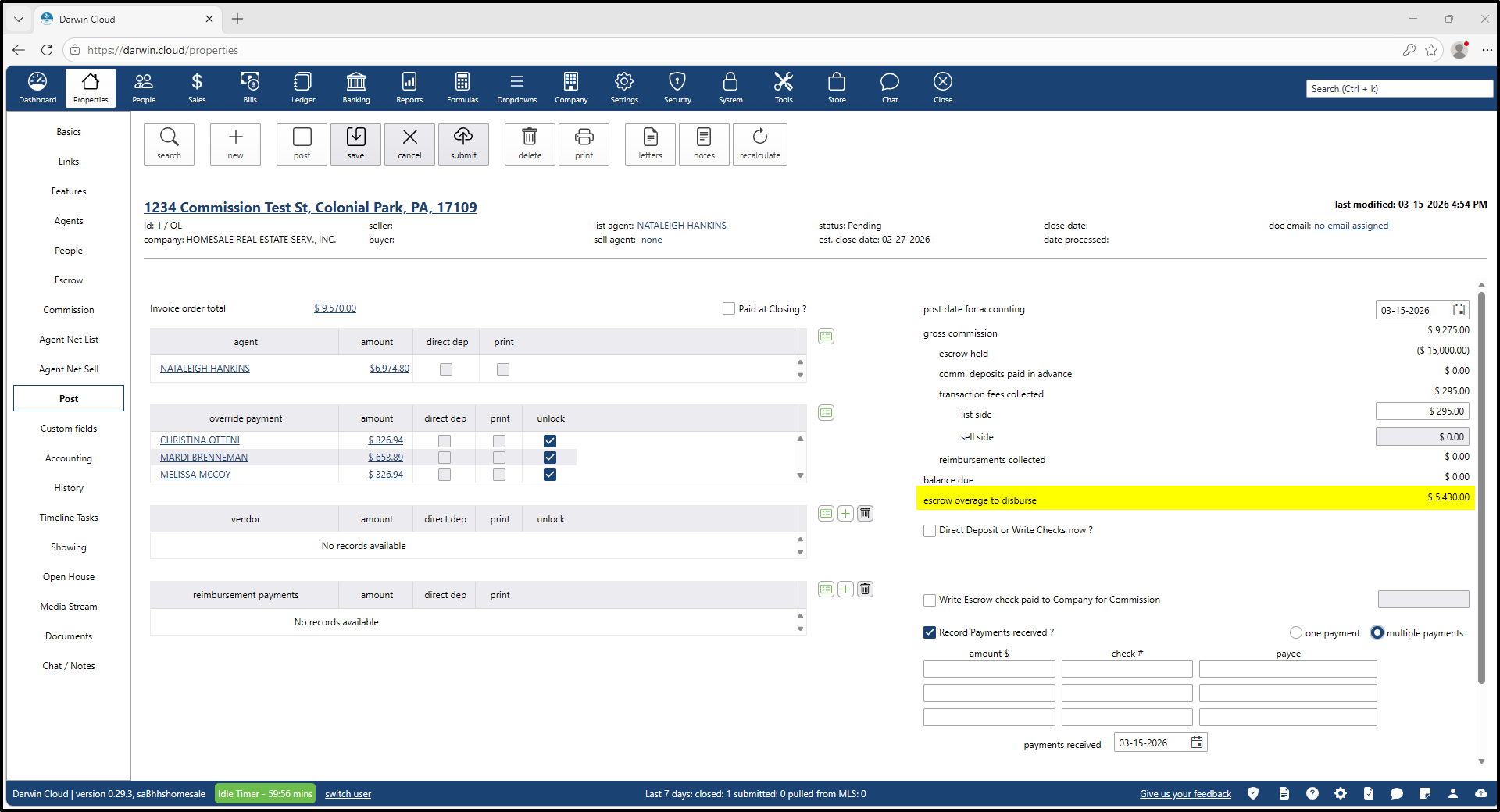
Navigate to Properties > Post for the relevant deal. The system automatically calculates any Escrow Overage to Disburse (e.g., $5,430.00).
2. Start Refund Process
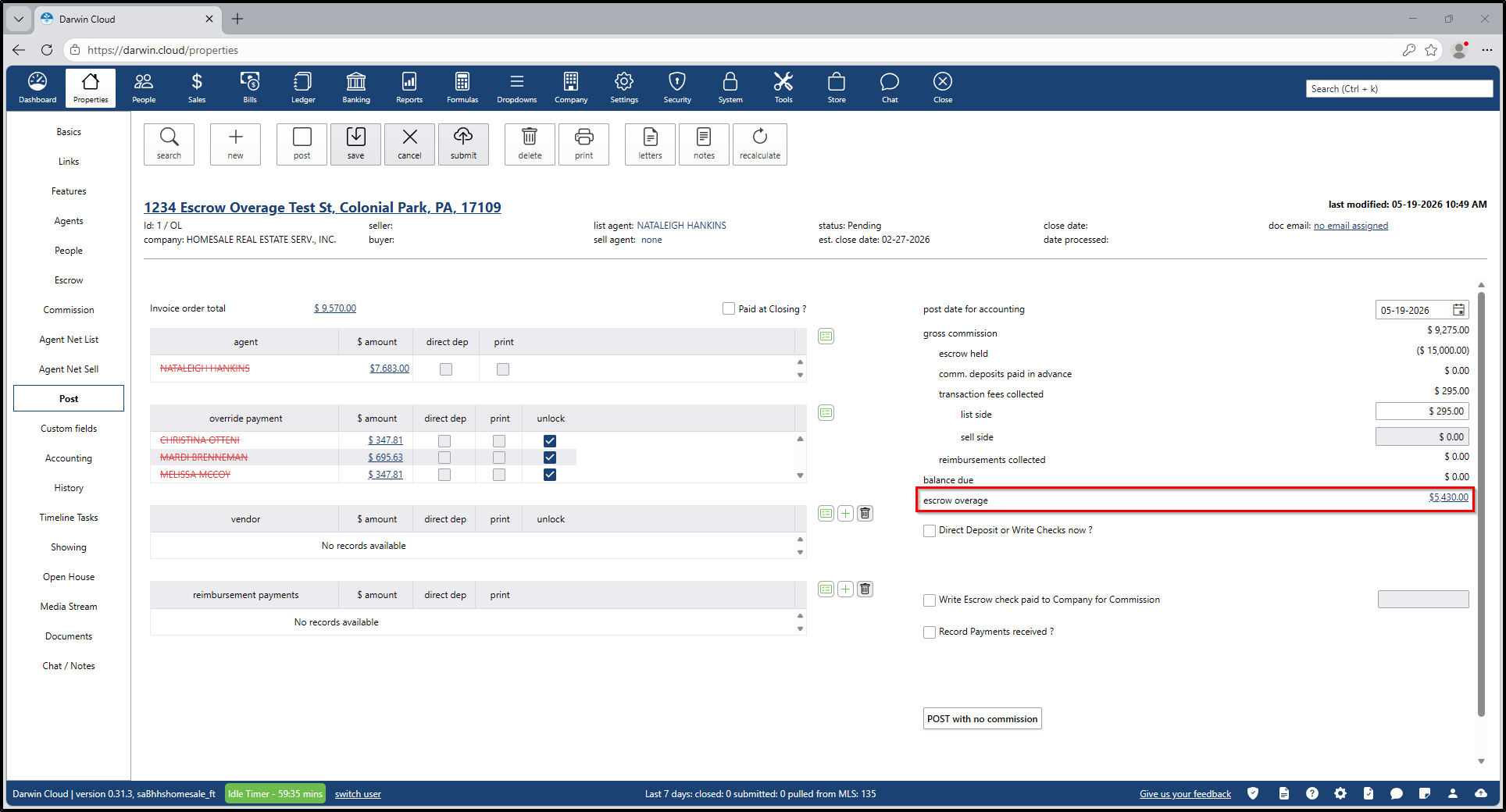
In the Escrow Overage section, click the overage amount hyperlink to initiate the refund workflow.
3. Create Escrow Check
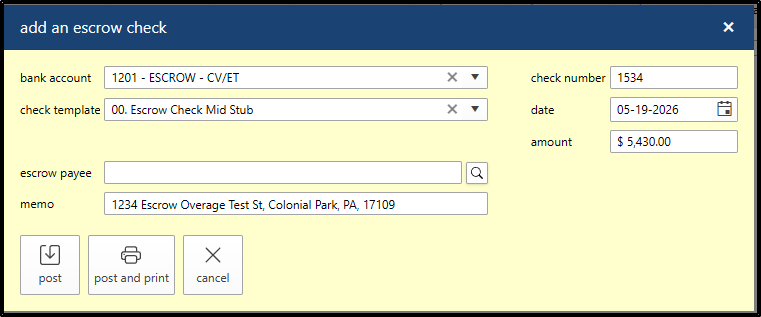
The Write Escrow Check modal opens.
- Select the Escrow Payee manually.
- The system auto-populates:
- Bank Account (from original escrow deposit)
- Check Number (next available sequence)
- Check Template (default escrow template)
- Check Date (current date)
- Amount (escrow overage amount)
- Memo (property address)
Click Post or Post & Print to complete the transaction.
4. System Updates
After closing the modal:
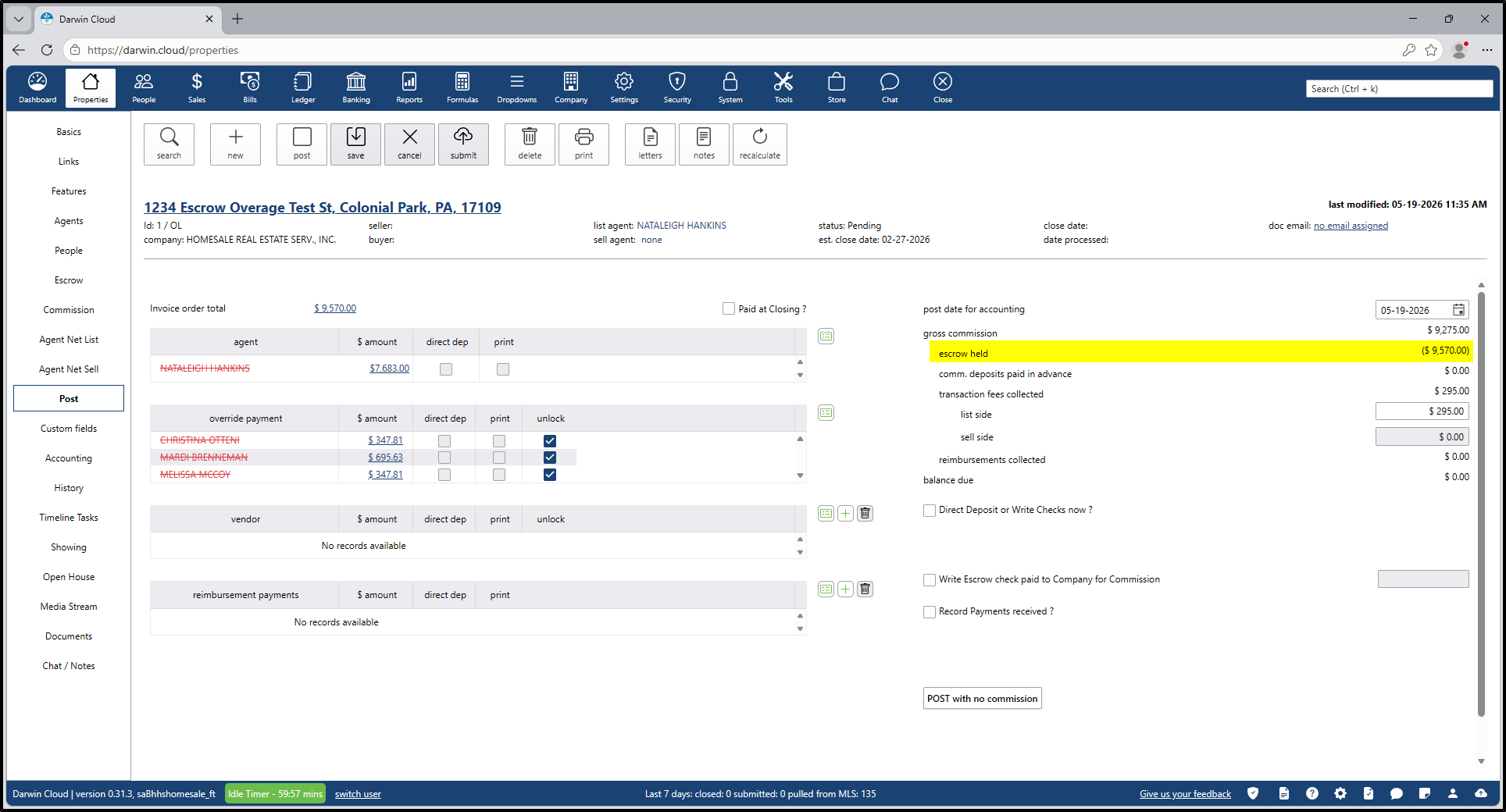
- The Post screen refreshes.
- The escrow overage amount is cleared.
- The Escrow Held balance updates.
- The refund check appears in Properties > Escrow.
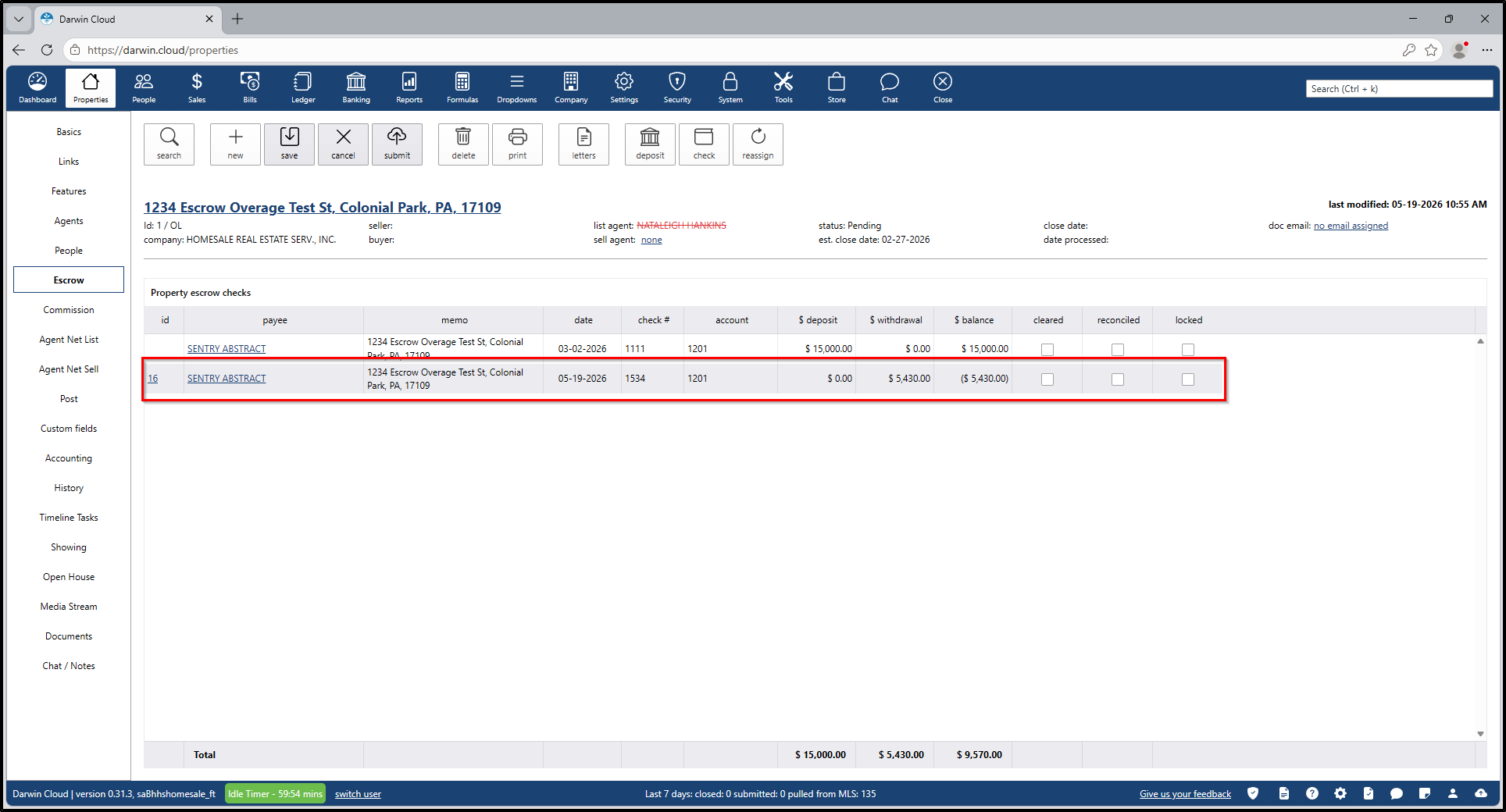
5. Complete Posting
Proceed with the remaining Write Escrow Check (Commission) step. The ledger is now balanced, allowing the user to finalize the post with confidence.