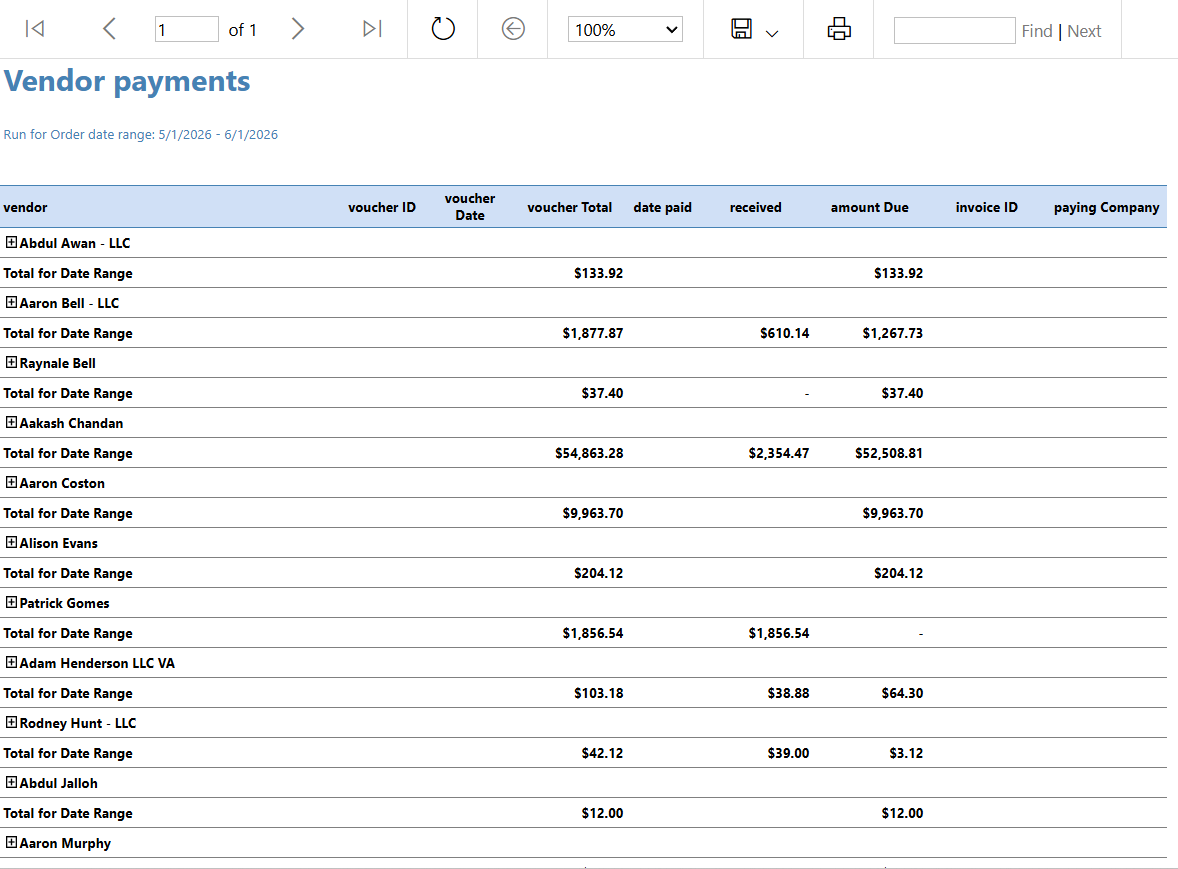
How to Add Invoice # and Paying Company Columns to the Vendor Payments Report
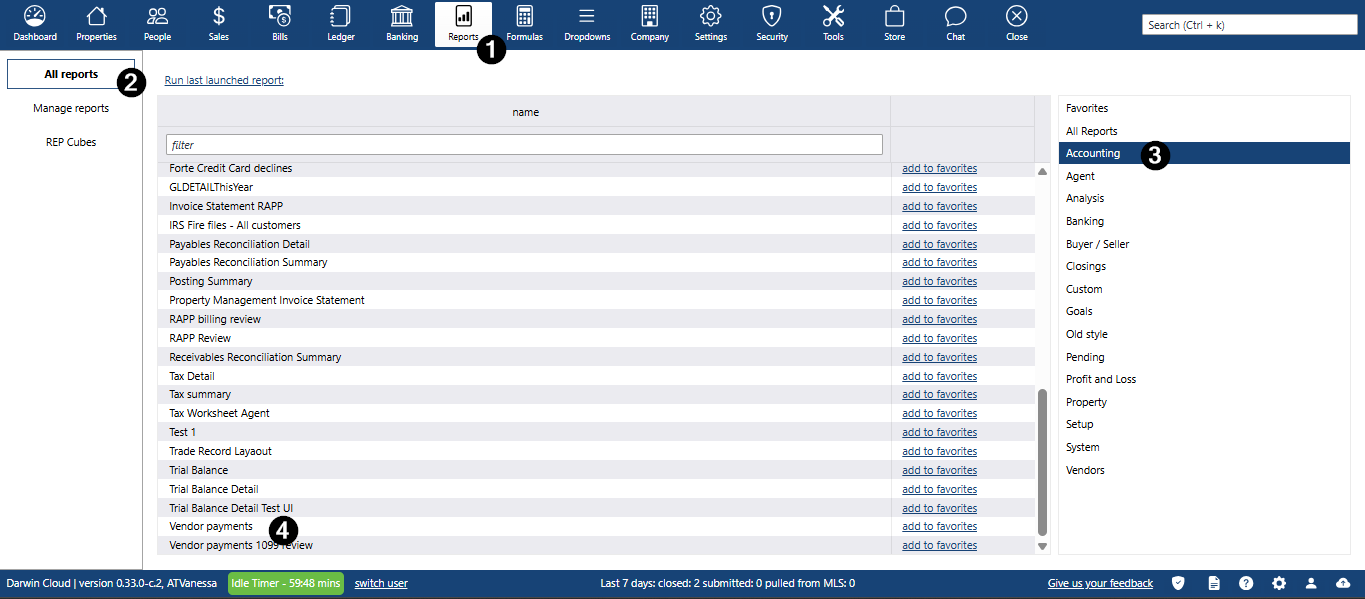
- Click Reports main menu
- Click All reports submenu
- On the right side click the Accounting category
Click Vendor Payments under name field
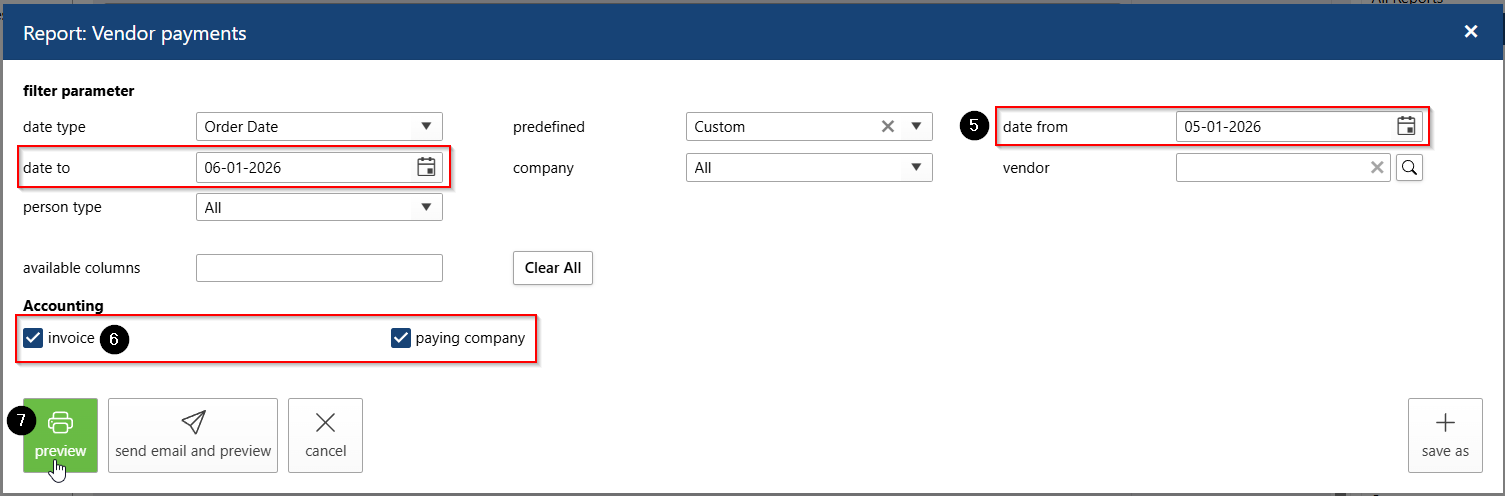
- Enter the desired Date Range for the report
- In the Accounting section, select the following new columns:
- Invoice #
- Paying Company
- Click Preview to generate the report.
Review the report output and confirm that the selected columns appear.