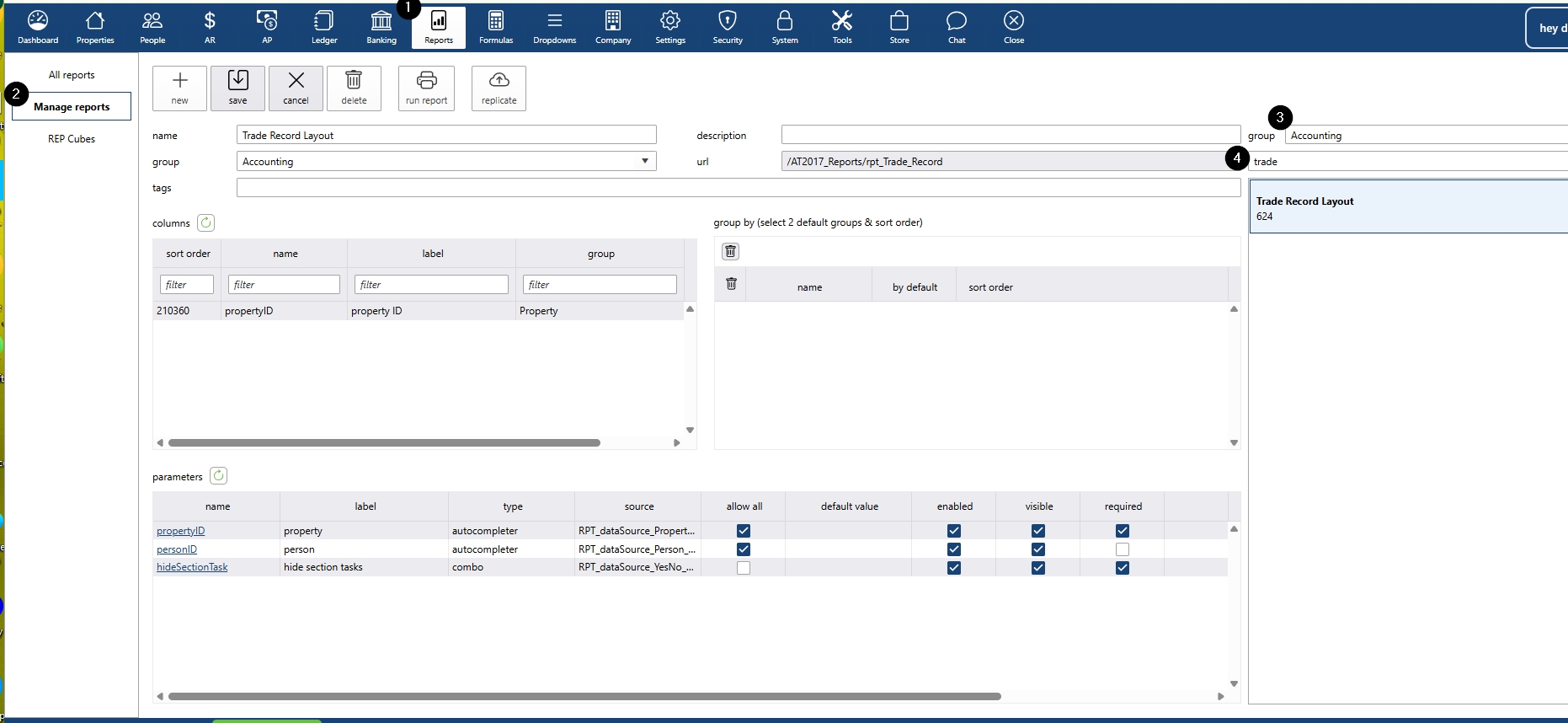
- Open Trade Record Report settings
- Go to Reports.
- Select Manage Reports.
In the Accounting section, filter for Trade Record Report (report ID 624).
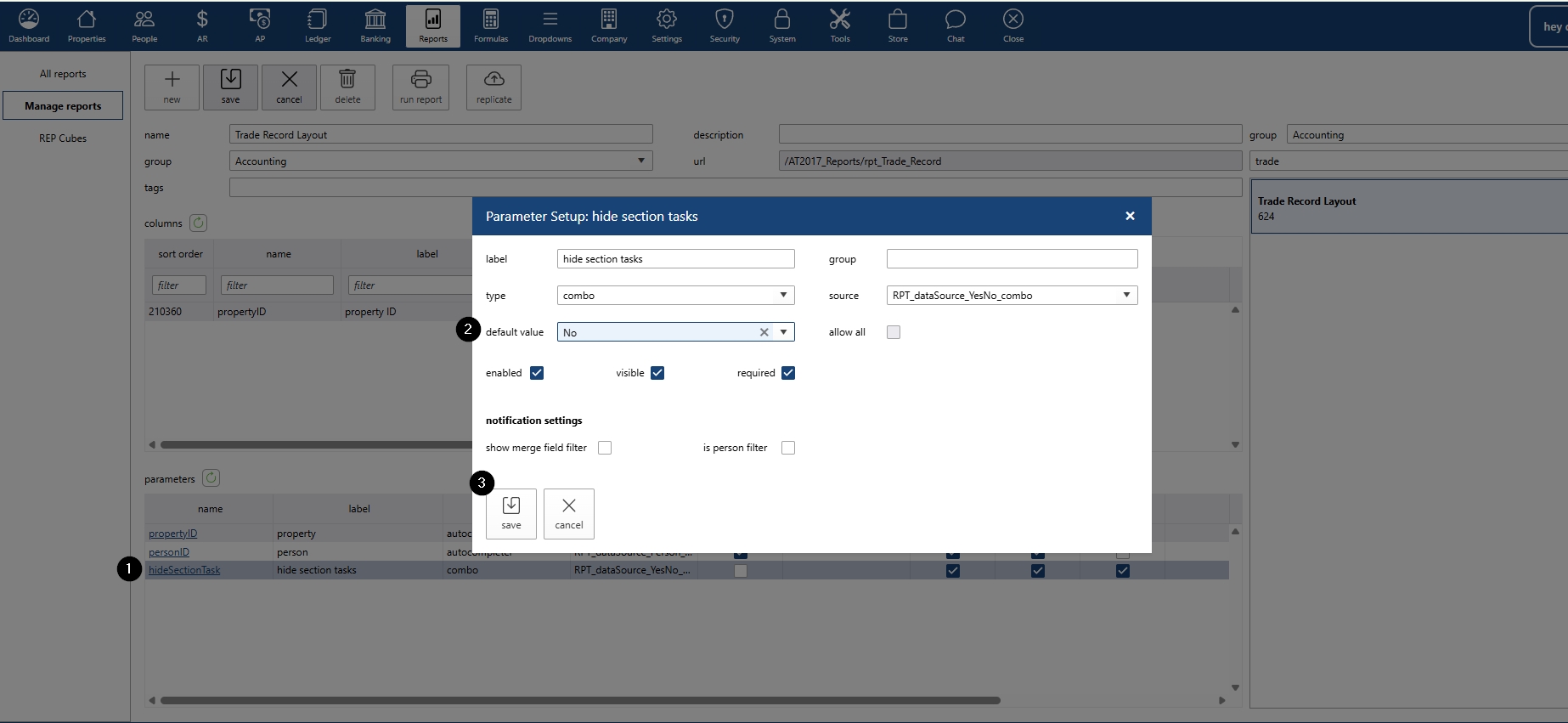
- Adjust Hide Section Task parameter
- Find the parameter Hide Section Task at the bottom of the screen. Click the hyperlink to open the section.
- By default, the value is set to Yes (section hidden). Change the value to No to show the timeline tasks.
Save your changes.
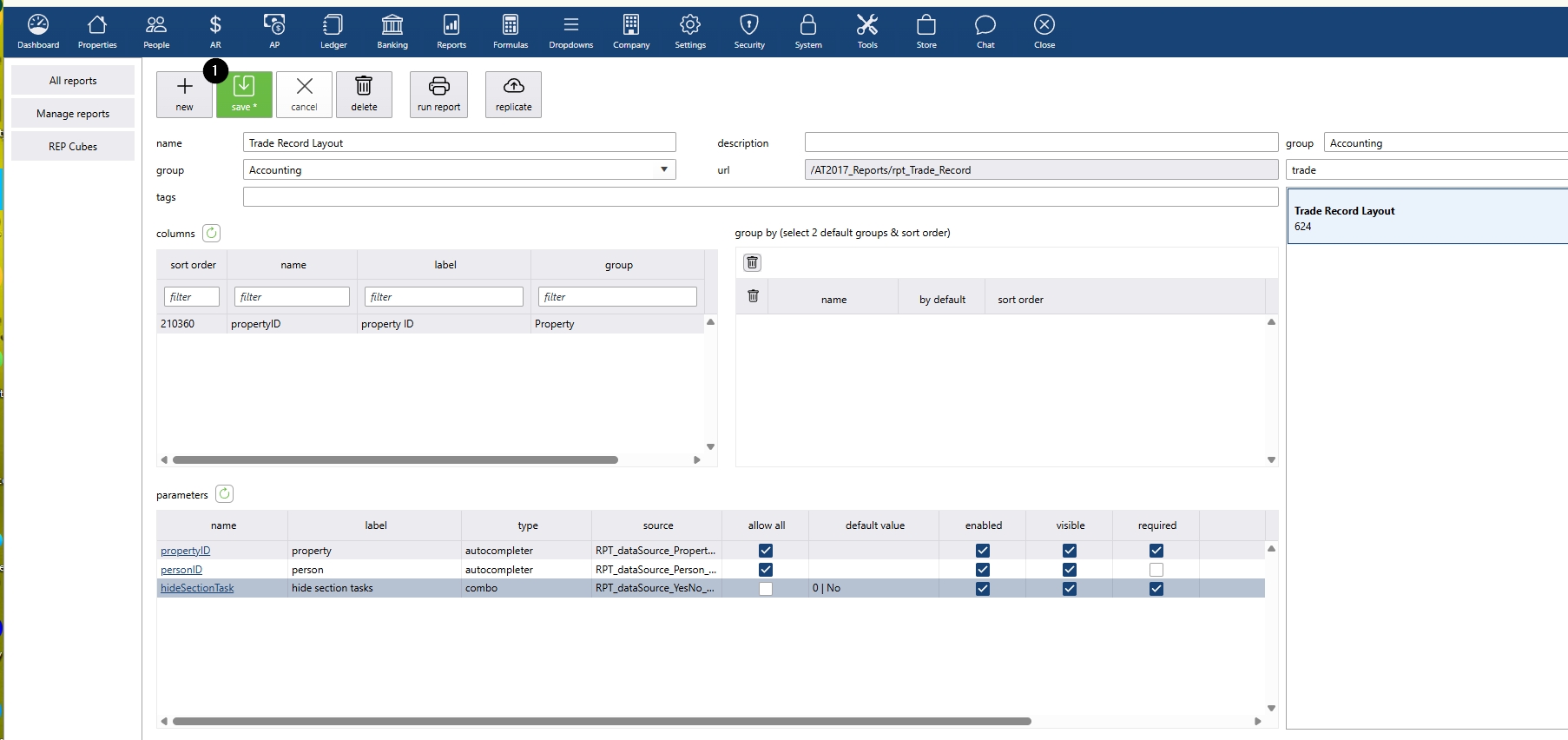
- Save and exit
Save again before exiting the report manager to update the setting for your Trade Record Report.
Show Property Tasks on the Trade Record Report
Updated on