Forte setup for more than one MerchantID
Overview
- This new Forte feature is available in darwin Cloud.
Purpose
- Allow users to use different Merchant ID’s for agents in different offices
- Allow users an easy way to set up non-Agents who may be paid from multiple Companies within a database
Set up requirements
Enable Forte Payment Feature
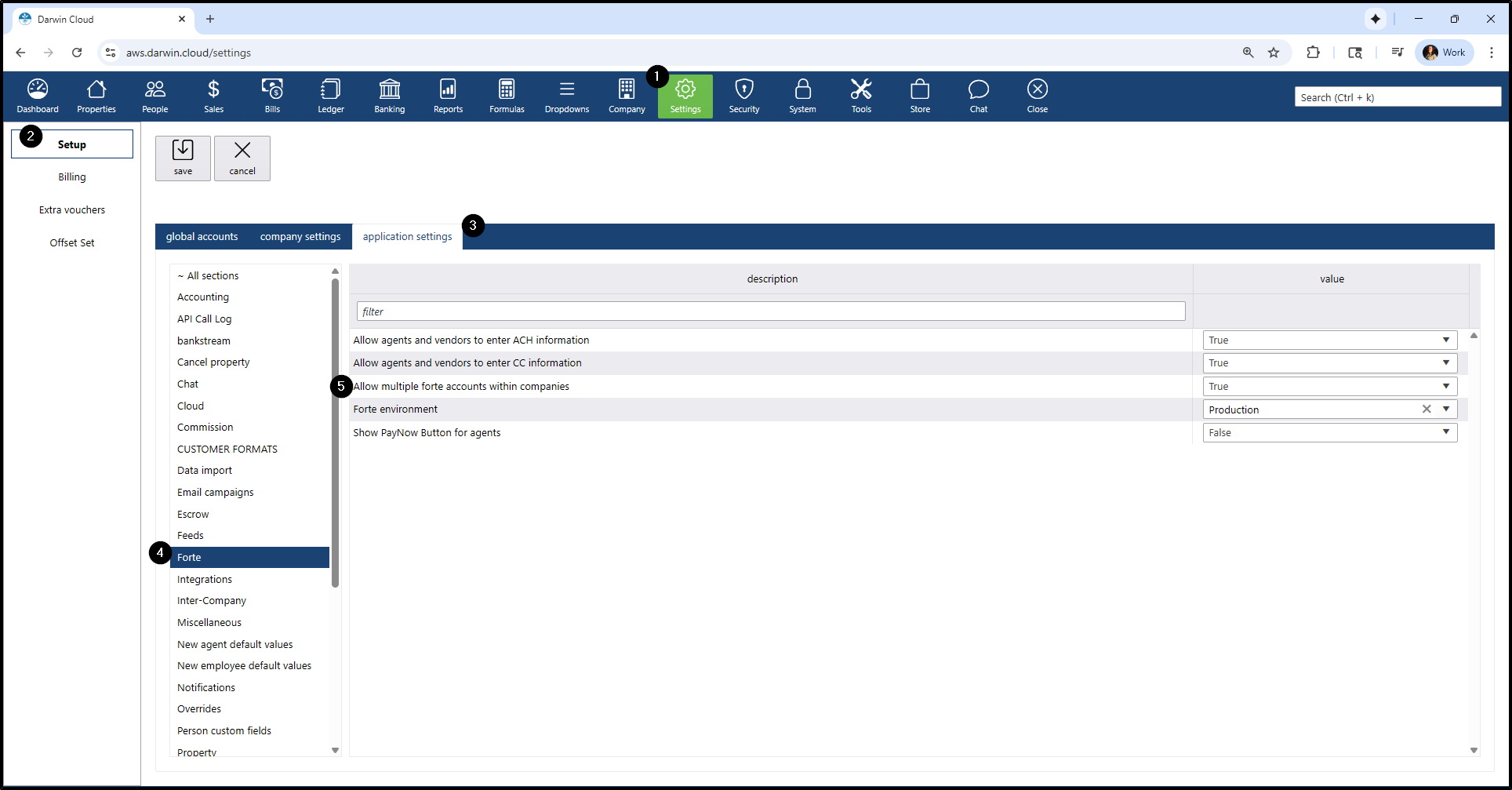
- Navigate to Settings > Set Up > Application Settings > Forte
- Enable “Allow multiple forte accounts within companies” and set the value to TRUE
Add Merchant ID (MID)
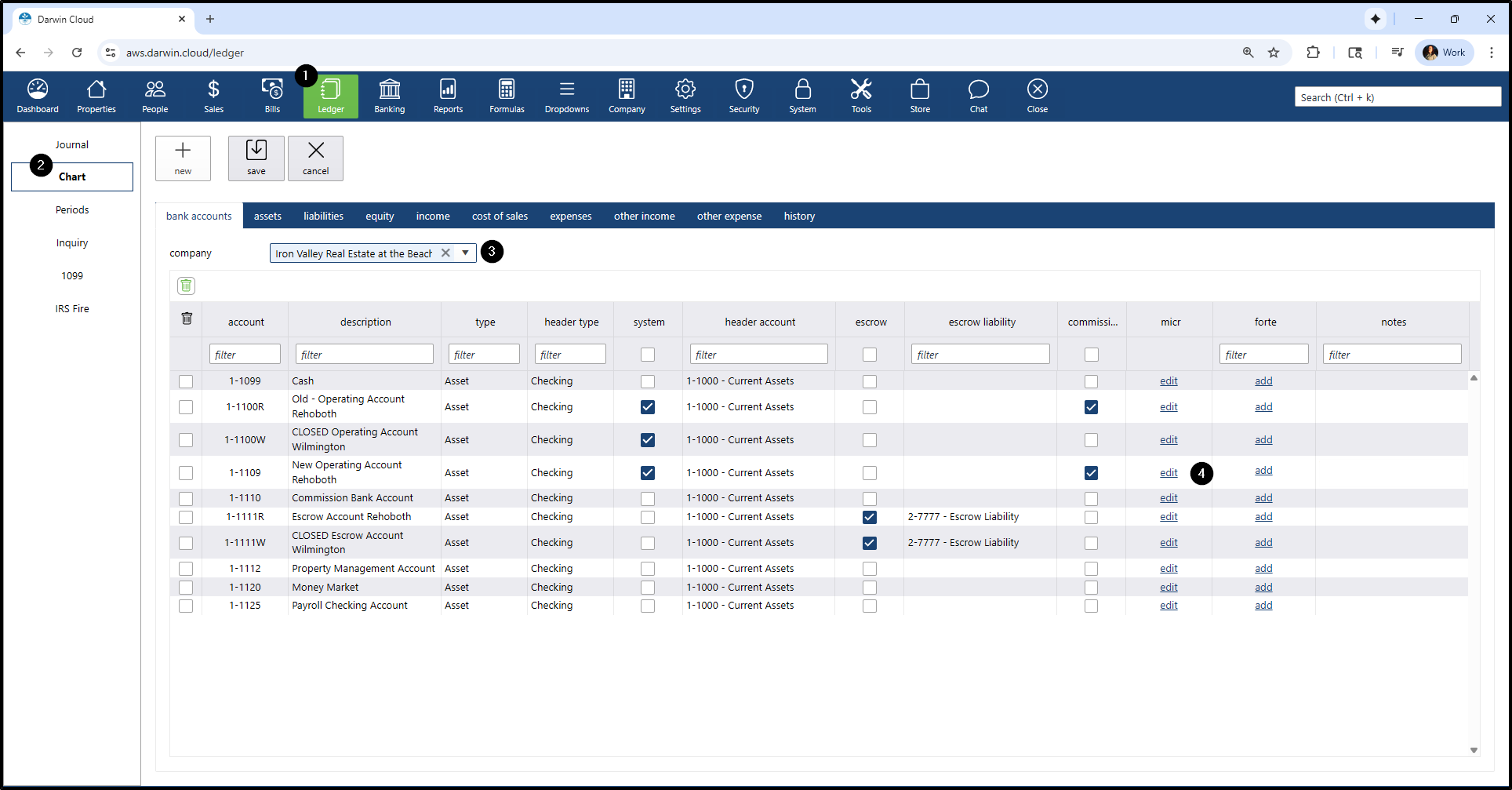
- Go to Ledger
- Go to Chart
- Select the company from the dropdown
- In Forte column, click the hyperlink add
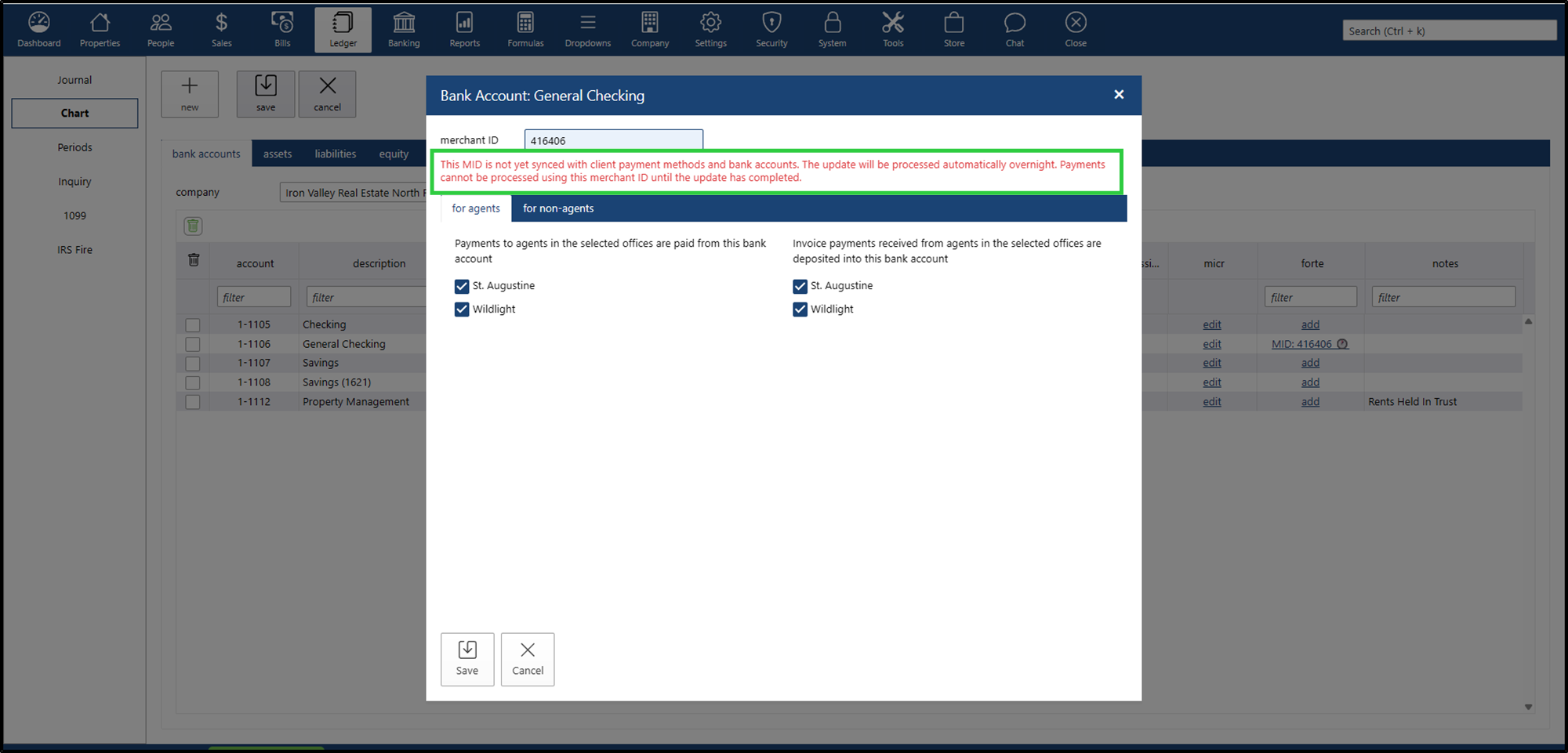
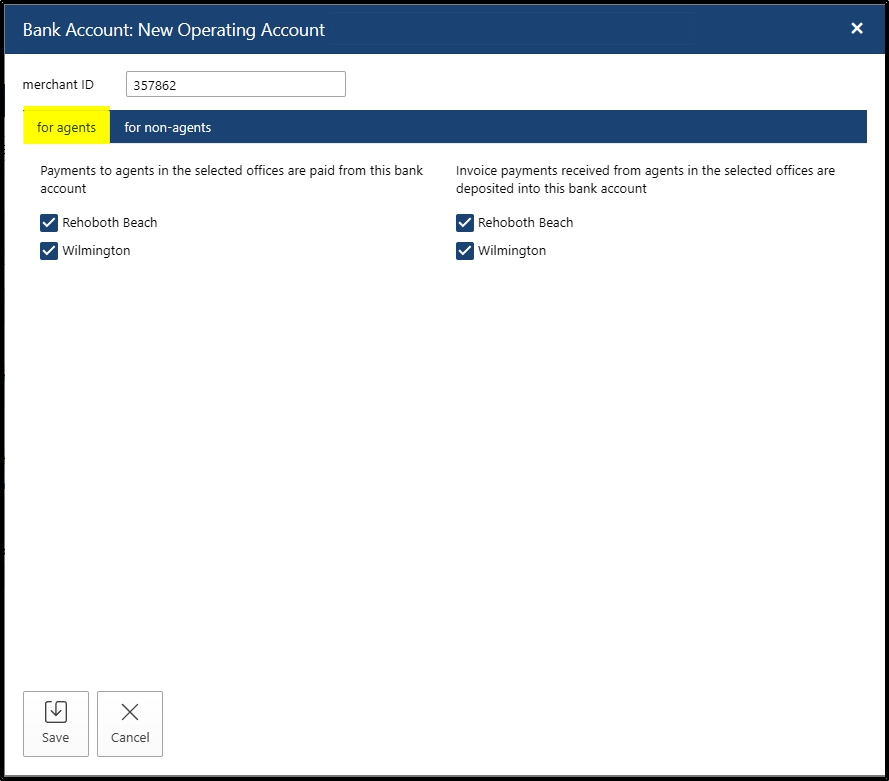
For every MerchantID, the forte configuration will require 2 sets of settings:
Settings for Agents: the setup will require the user to select:
- for APPayments - which Agent Offices should use this MerchantID
for ARPayments - which Agent Offices should use this MerchantID
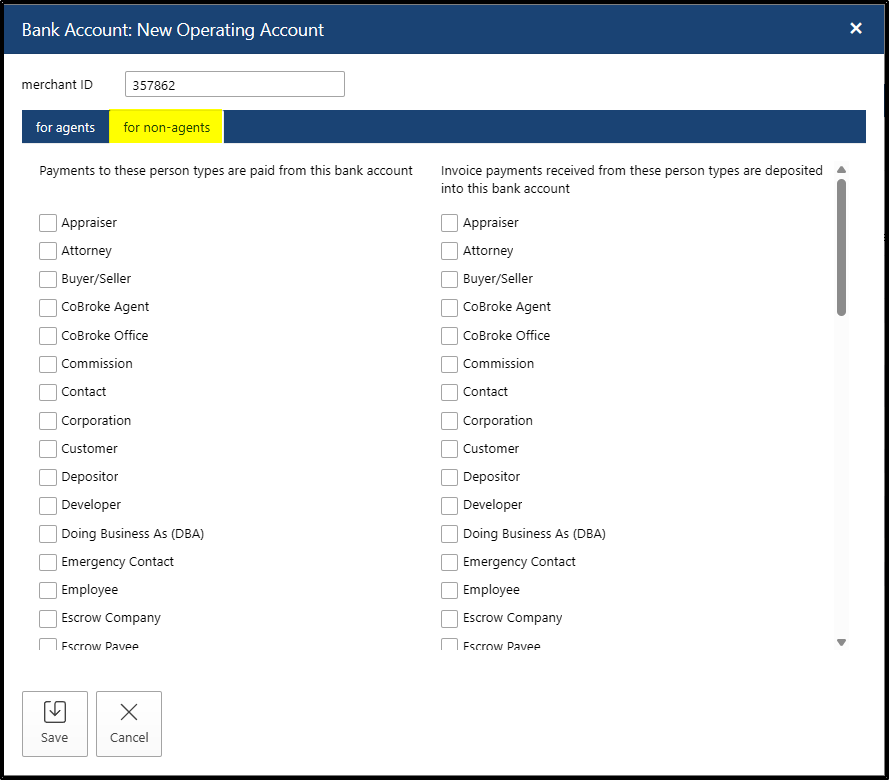
Settings for Non-Agents: the setup will require the user to select:
- for APPayments - which PersonTypes should use this MerchantID
- for ARPayments - which PersonTypes should use this MerchantID
Adding Payment Information
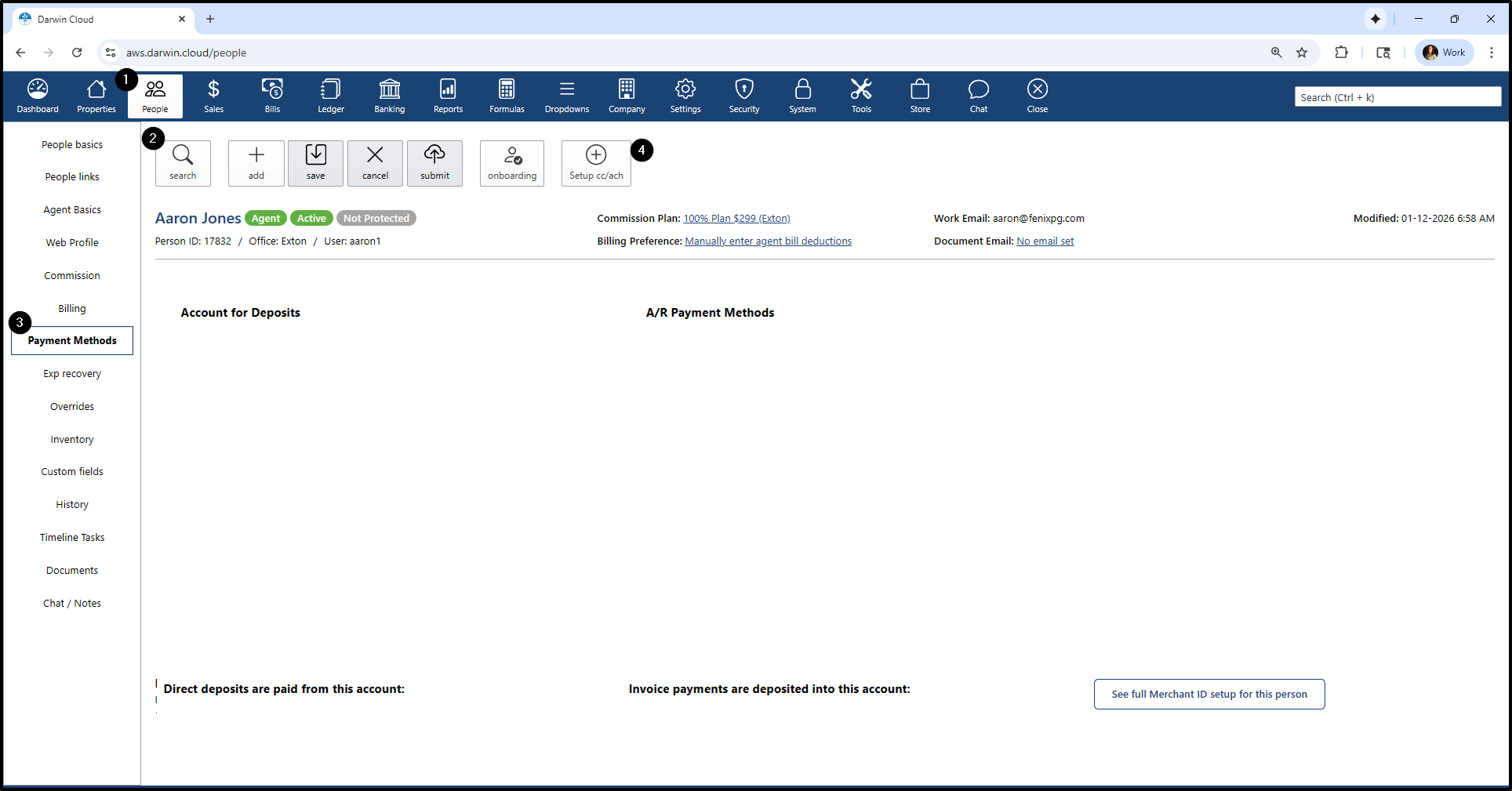
- Go to People
- Click search button and search for an agent
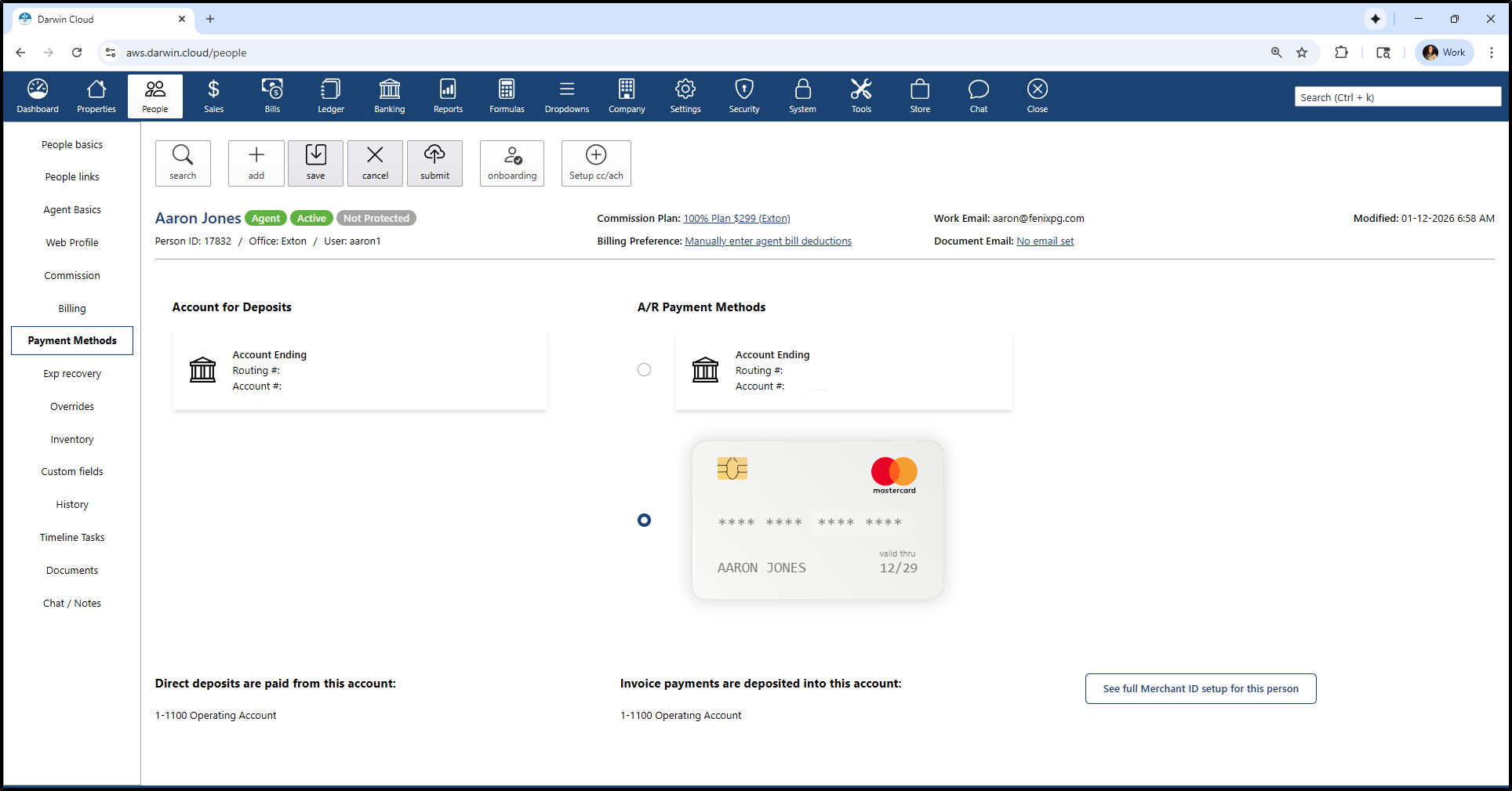
- Go to Payment Methods
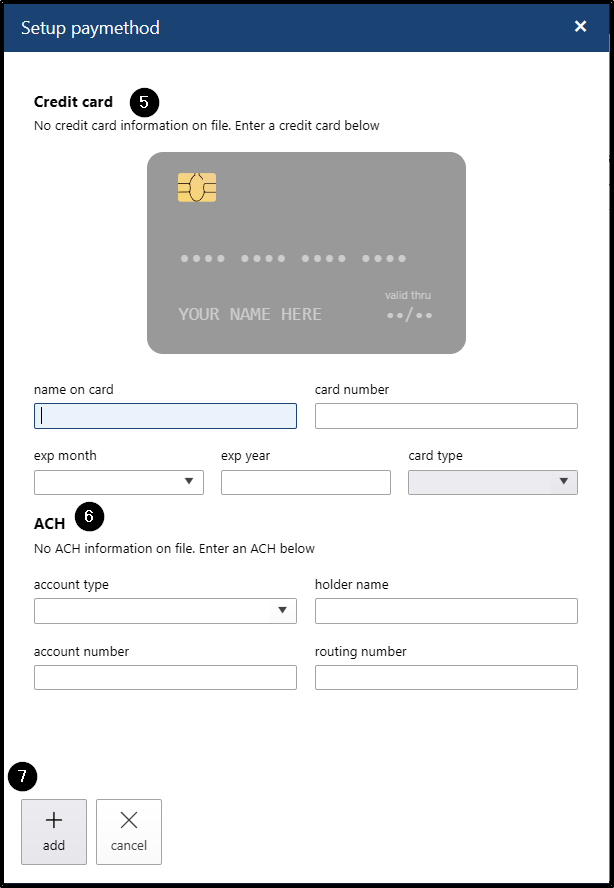
- Click Setup cc/ach button
- Add CC payment information
- Add ACH payment information
- Click save button