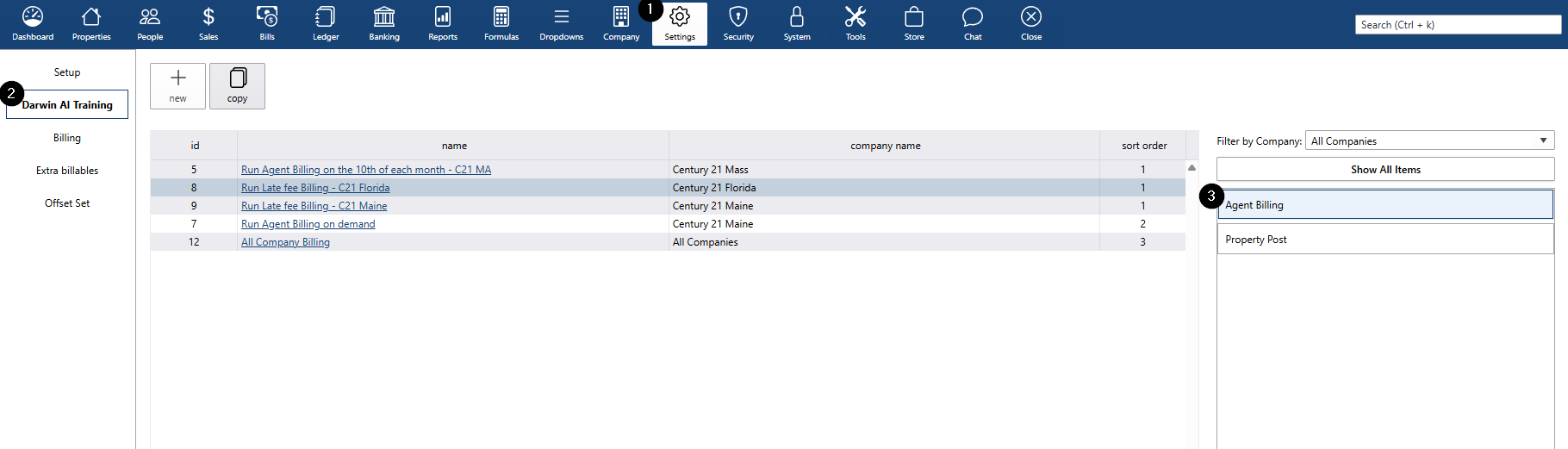
Create a New Automated Billing Task
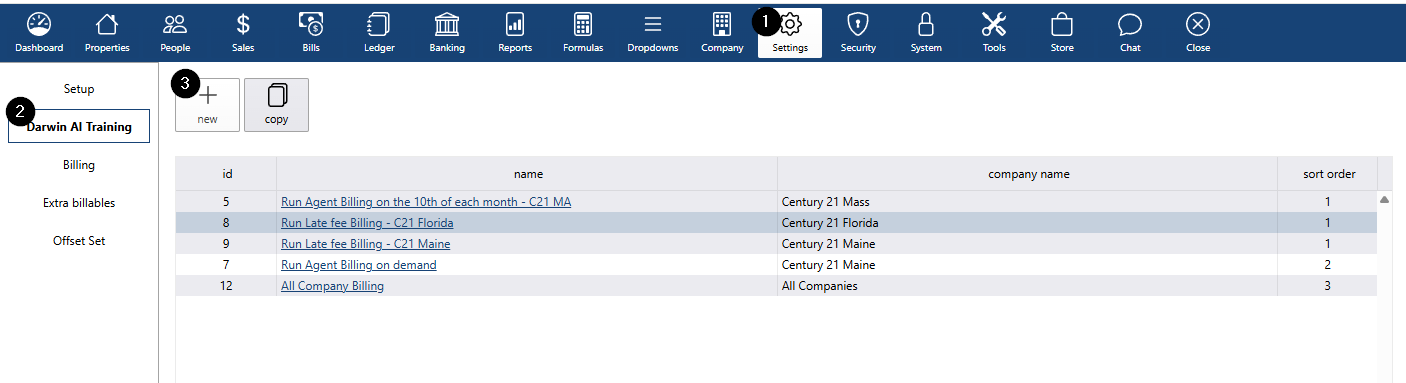
- Go to Settings
- Select Darwin AI Training
- Click New
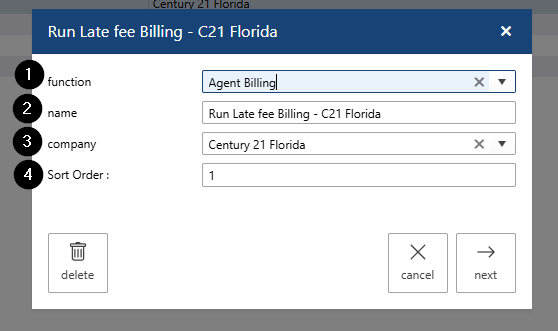
- Select Agent Billing as the function
- Name your task
- Select a company: either All Companies or a specific company.
- Set the sort order
- Click Next
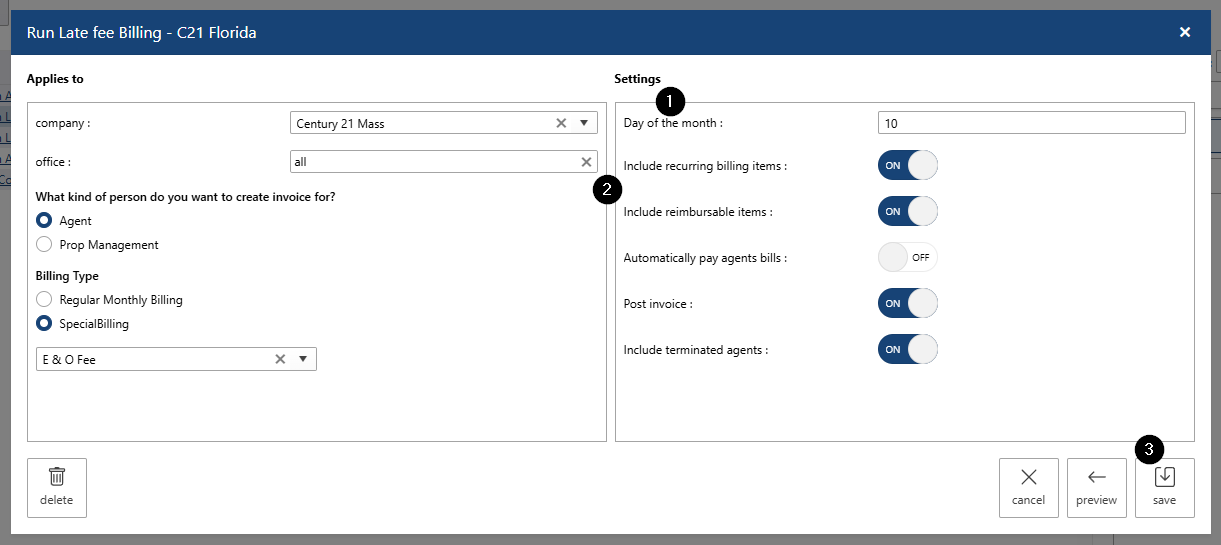
Configure Billing Settings
- Select Company
- Select Office
- Choose who to invoice:
- Agent
- Property Management
- Select billing type:
- Regular monthly billing
- Special billing
- (for special billing) select a special billing group
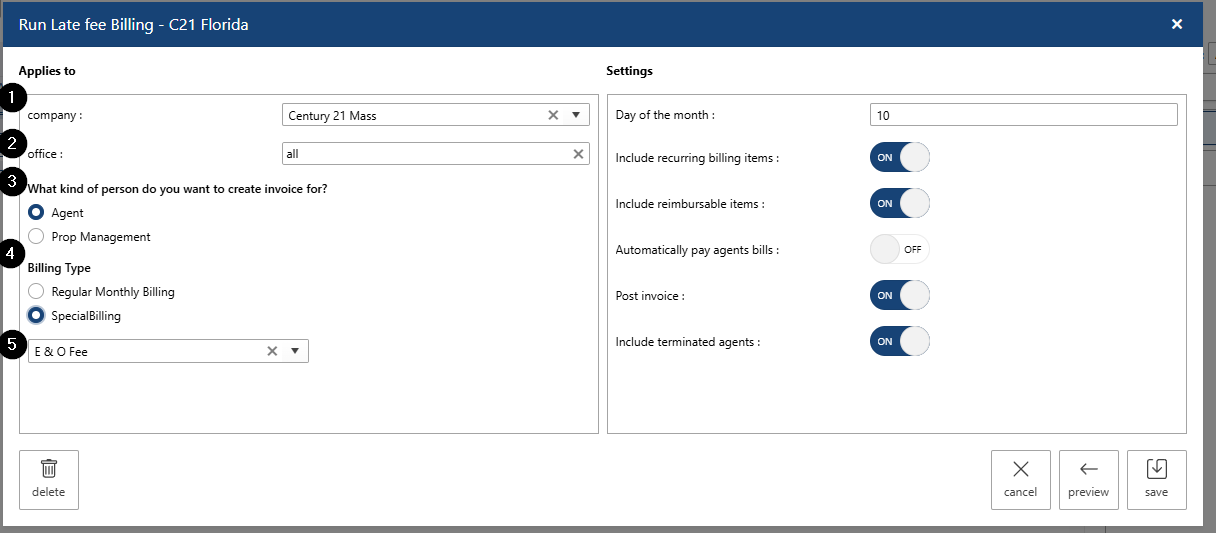
- Select the day of the month for automation.
- Choose what to include:
- Recurring billing items
- Reimbursable items
- Automatically pay agent bills after creation
- Post the invoice
- Include terminated agents
- Save your changes.
View all automated billing processes under Settings > Darwin AI Training > Agent Billing.