Overview
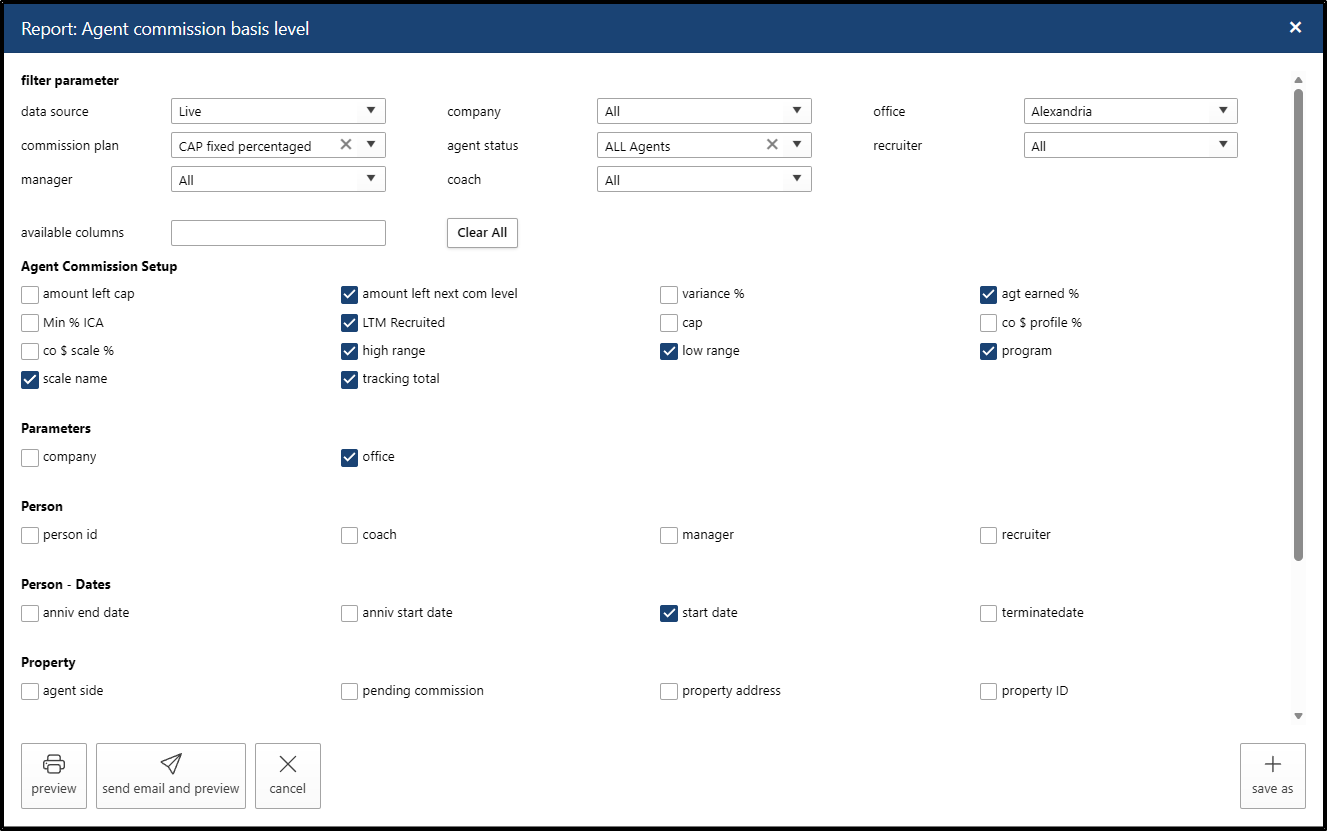
We’ve enhanced the Agent Commission Basis Level Report to provide better visibility into agent progress. By integrating real-time balances directly alongside commission calculations, this update eliminates the need for manual cross-referencing and speeds up the payout review process.
Key New Columns:
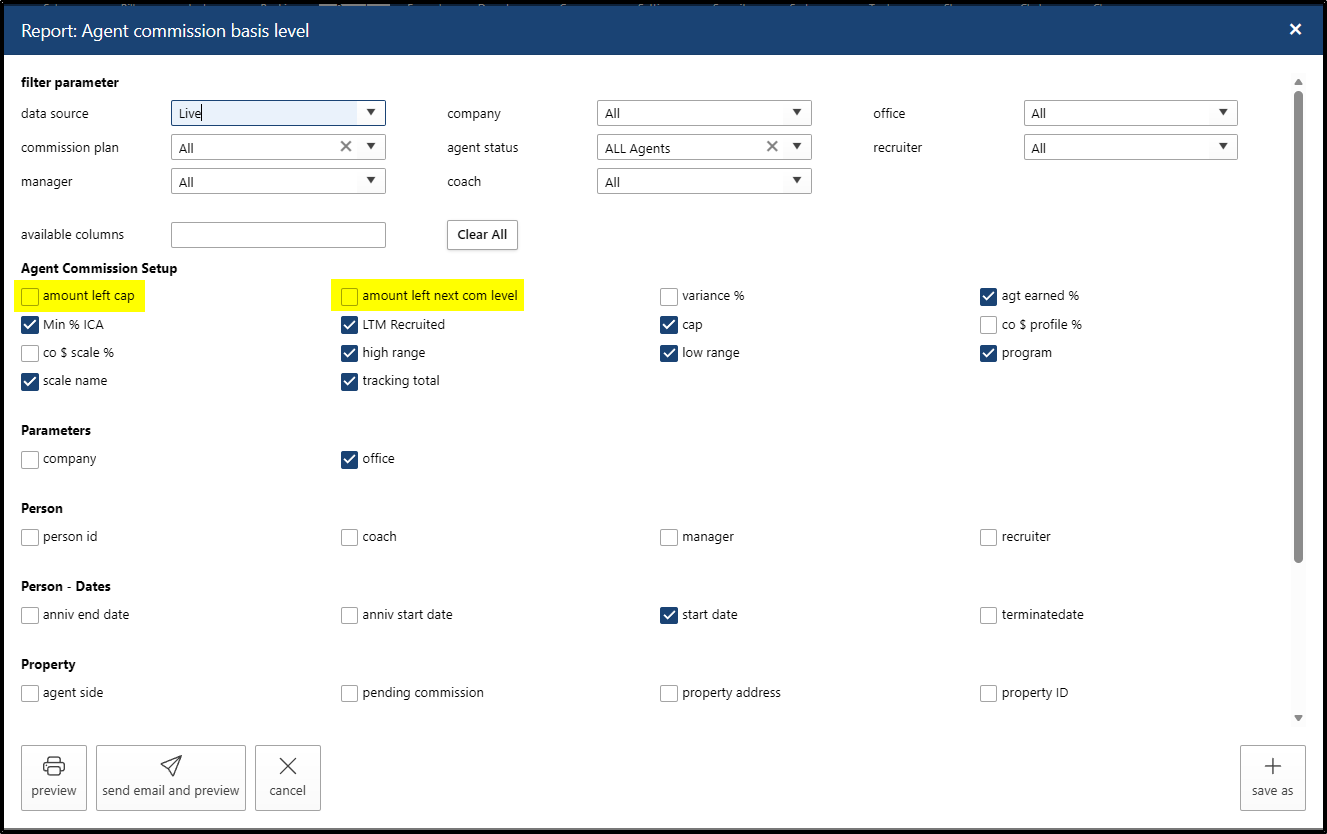
- CAP Plans: Now includes "Amount Left to CAP."
- Tiered/Graduated Plans: Now includes "Amount Left to Next Commission Level."
Navigation
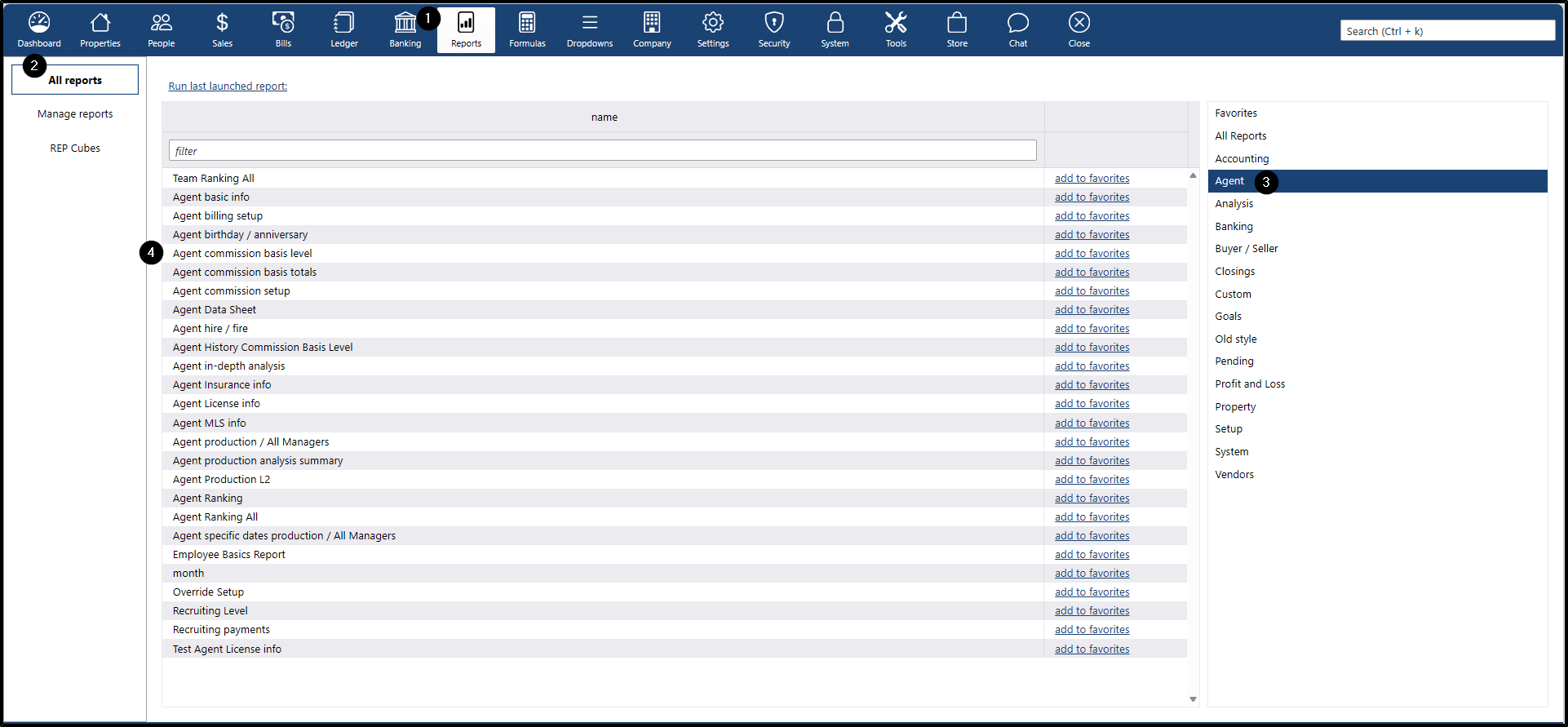
To access the updated report:
- Go to the Reports main menu
- Go to the All reports submenu
- On the right side, click Agent
- Then click the Agent commission basis level report
Reporting by Plan Type
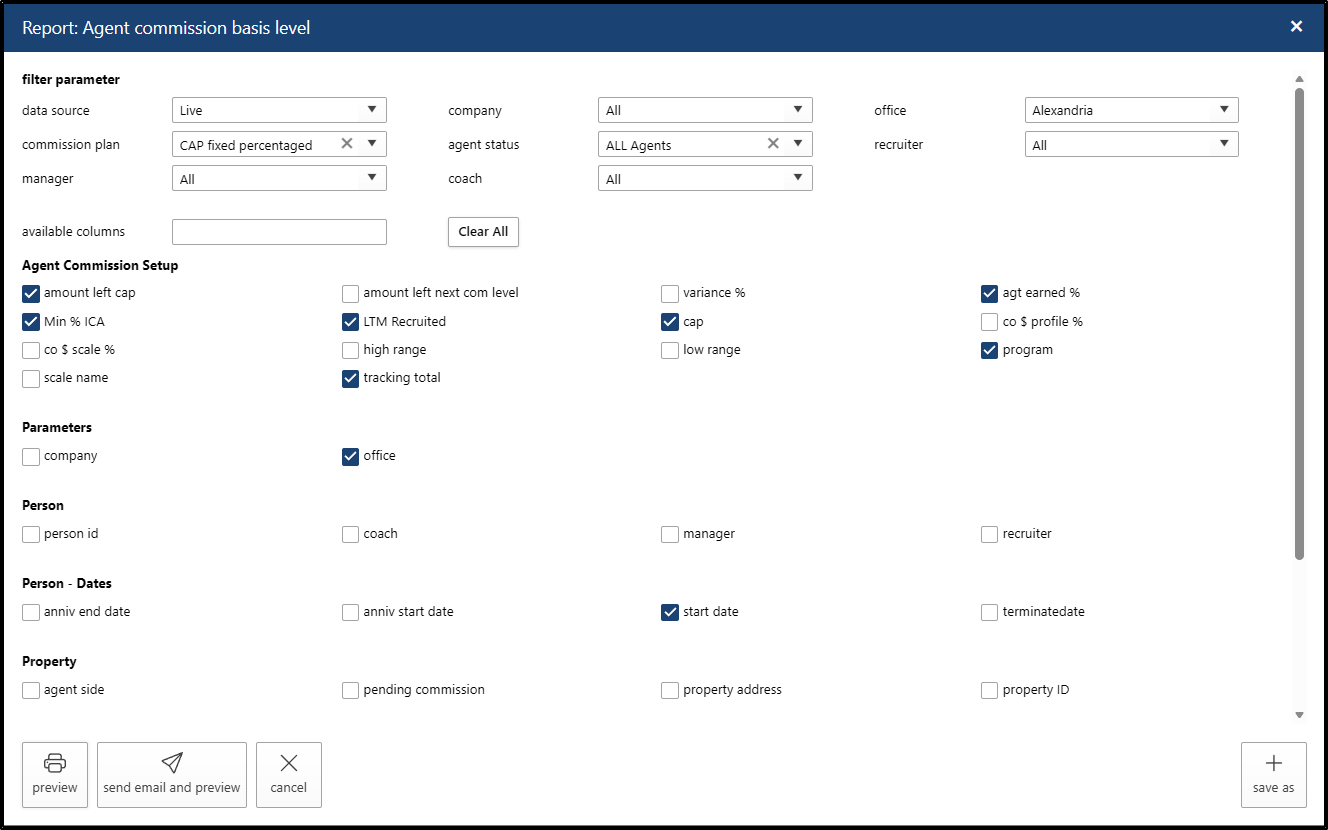
Agents on a CAP Plan
- This view focuses on the "Amount Left to CAP" column.
- To ensure accurate reporting, verify that the agent’s commission profile includes the correct:
- Company $ percentage
- Company $ CAP Amount
- Agent Total Use
Essential Columns for CAP Plans:
- Amount Left Cap: Remaining balance before the agent hits their CAP.
- Agt Earned %: Current commission split.
- Min % ICA: Agent profile percentage
- LTM Recruited: Agent Total Balance
- CAP: The total cap amount assigned to the agent.
- Program: commission plan assigned to the agent
- Tracking Total: Agent total
- Office: Agent-assigned office
- Start date: Agent start date
Agents on a Tiered/Graduated Plan
- This view focuses on the "Amount Left to Next Commission Level" column.
- It relies on the Agent Total Use within the specific tiered or graduated structure.
Essential Columns for Tiered Plans:
- Amount Left Next Com Level: $ amount required to reach the next tier.
- Agt Earned %: The commission percentage for the current tier.
- LTM Recruited: Agent Total Balance
- Low Range: min $ amount based on the scale template used
- High Range: max $ amount based on the scale template used
- Program: commission plan assigned to the agent
- Scale Name: The specific graduated scale being applied.
- Tracking Total: Agent total
- Office: Agent-assigned office
- Start date: Agent start date