Overview
A new setting has been installed in the Closings by Agent report.
There's a filter called "agent team" and within the dropdown, there is now an option to display “All Agents ON Teams at Closings”. This new setting filters the report to include all agent production from transactions that are assigned to a team.
Steps to run the report
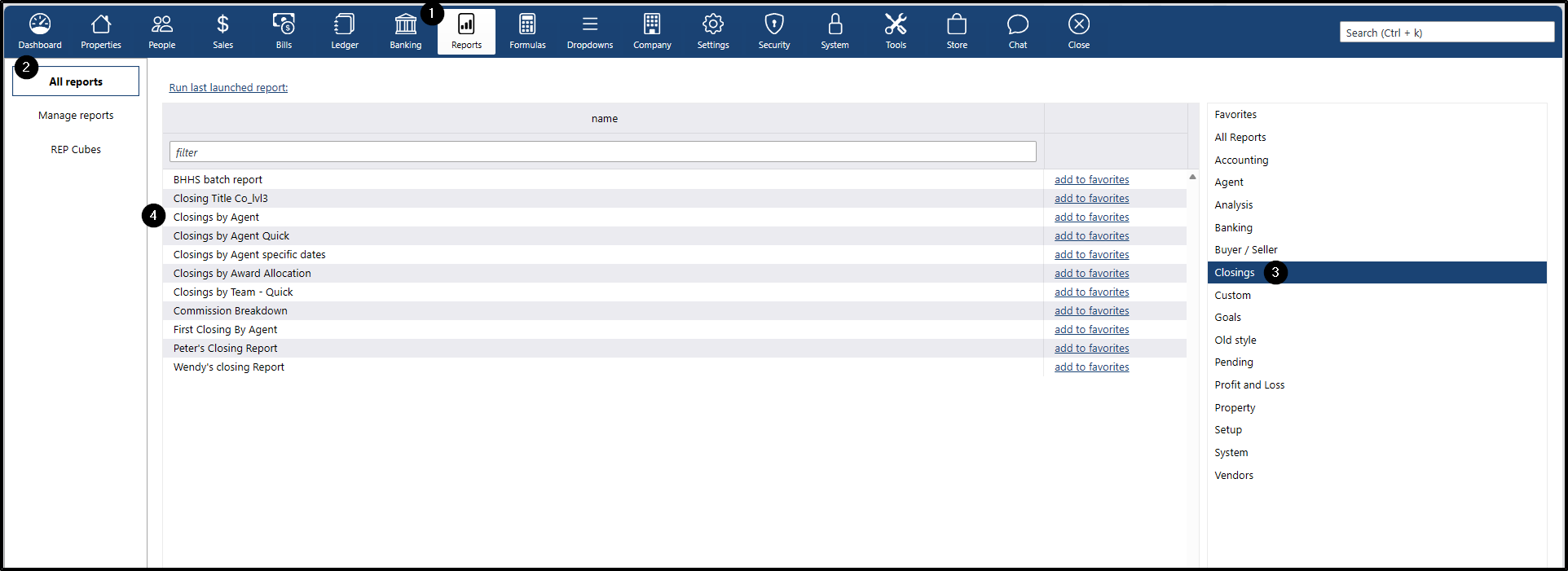
- Go to Report menu
- Click All reports submenu
- On the right-side panel, click Closings
- Double-click the Closings by Agent report to open
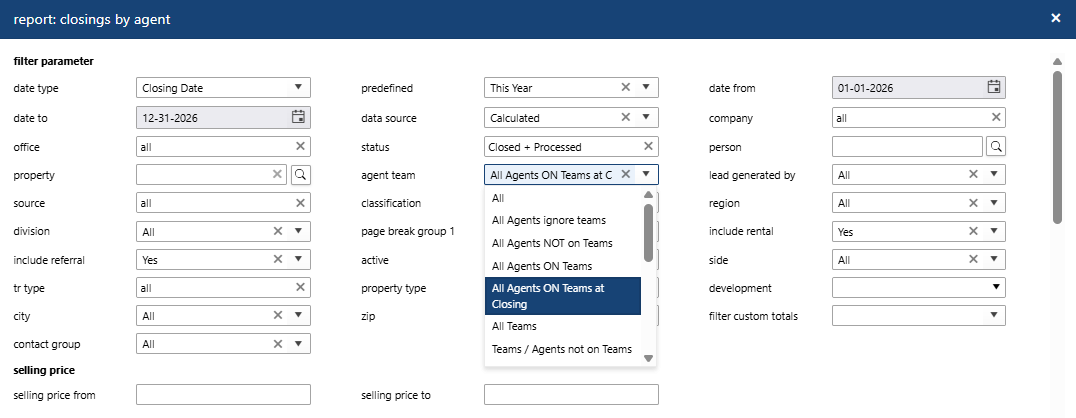
Generate the Closings by Agent report using the new filter parameter for agent team
- Select the desired filter parameters for the report
- Click the dropdown for agent team and choose "All Agents ON Teams at Closing"
- Select any additional filter parameters as needed
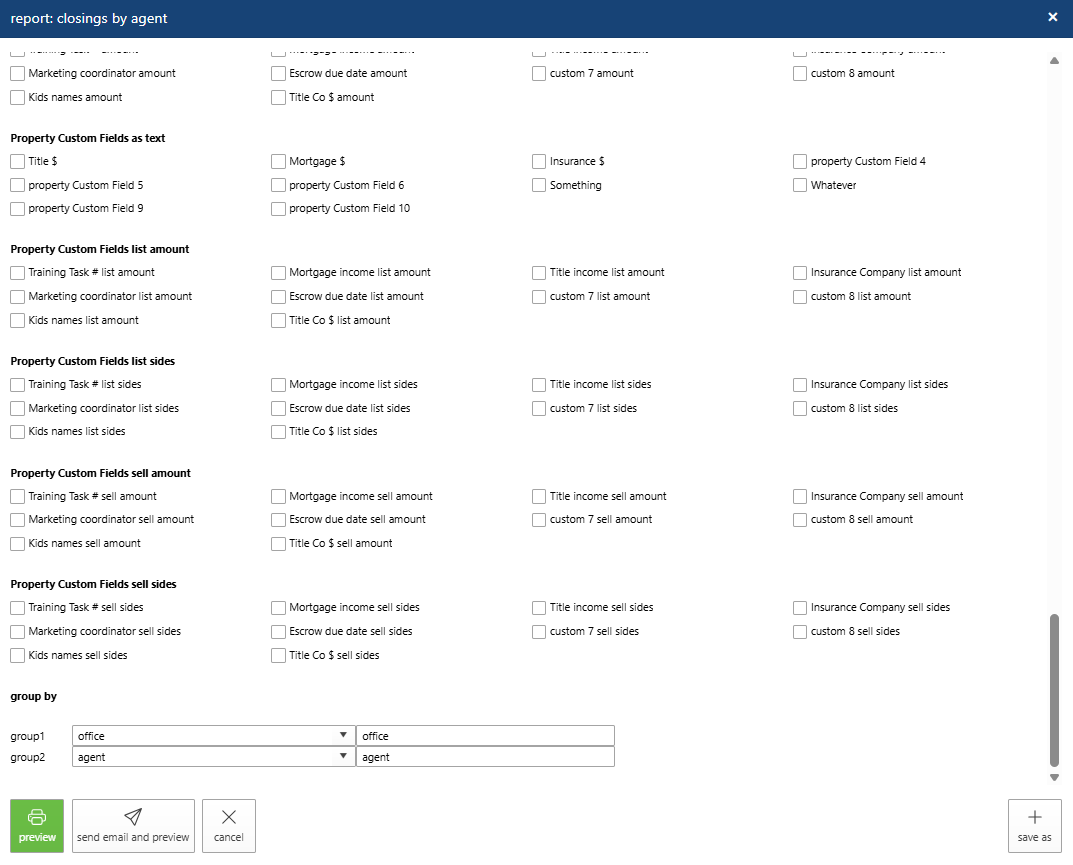
- Select the columns to display in the report
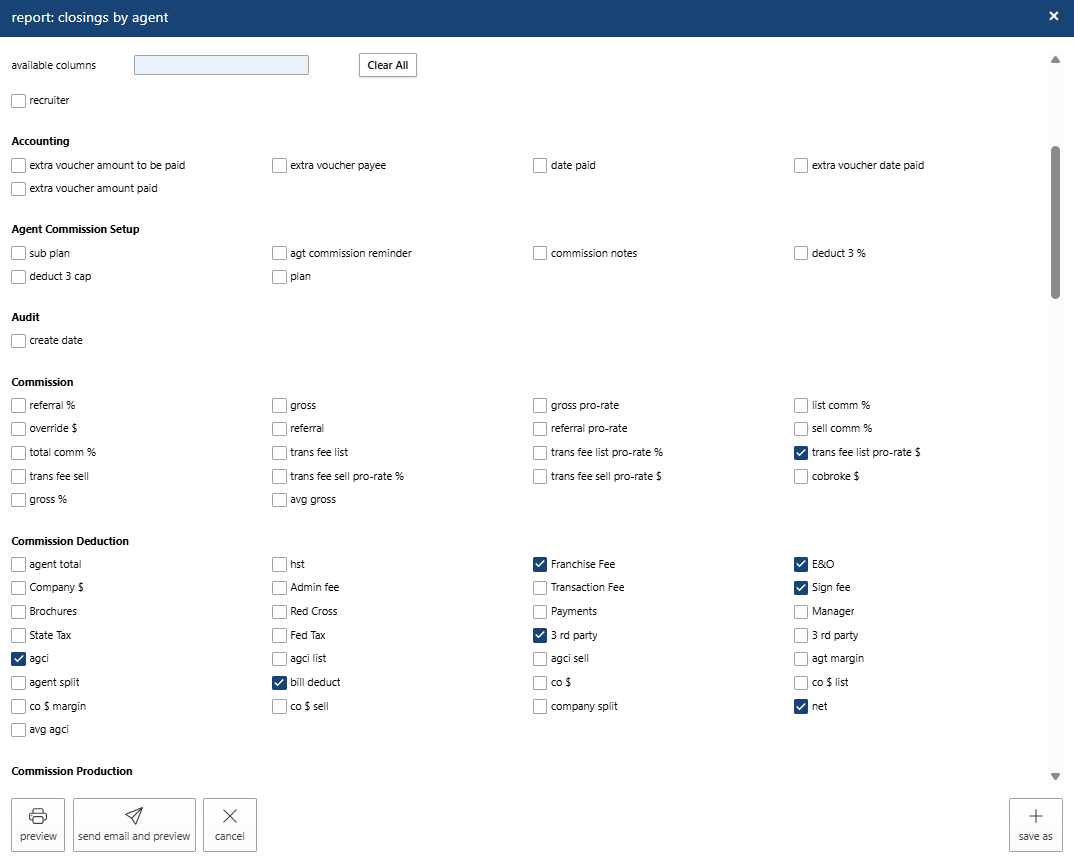
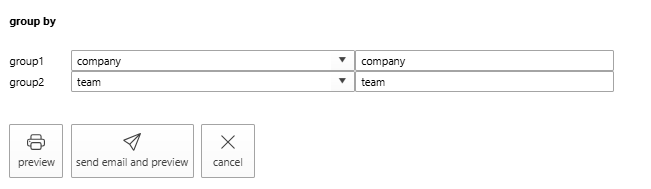
- Recommended report grouping
- Set group1 to company
- Set group2 to team
- Previewing the report