What’s Changing?
Previously, users often recorded the reason for an escrow disbursement in the free-form Memo field. While this provided flexibility, it also resulted in unstructured data, making it more difficult for accounting teams to consistently categorize, track, and report on trust account activity.
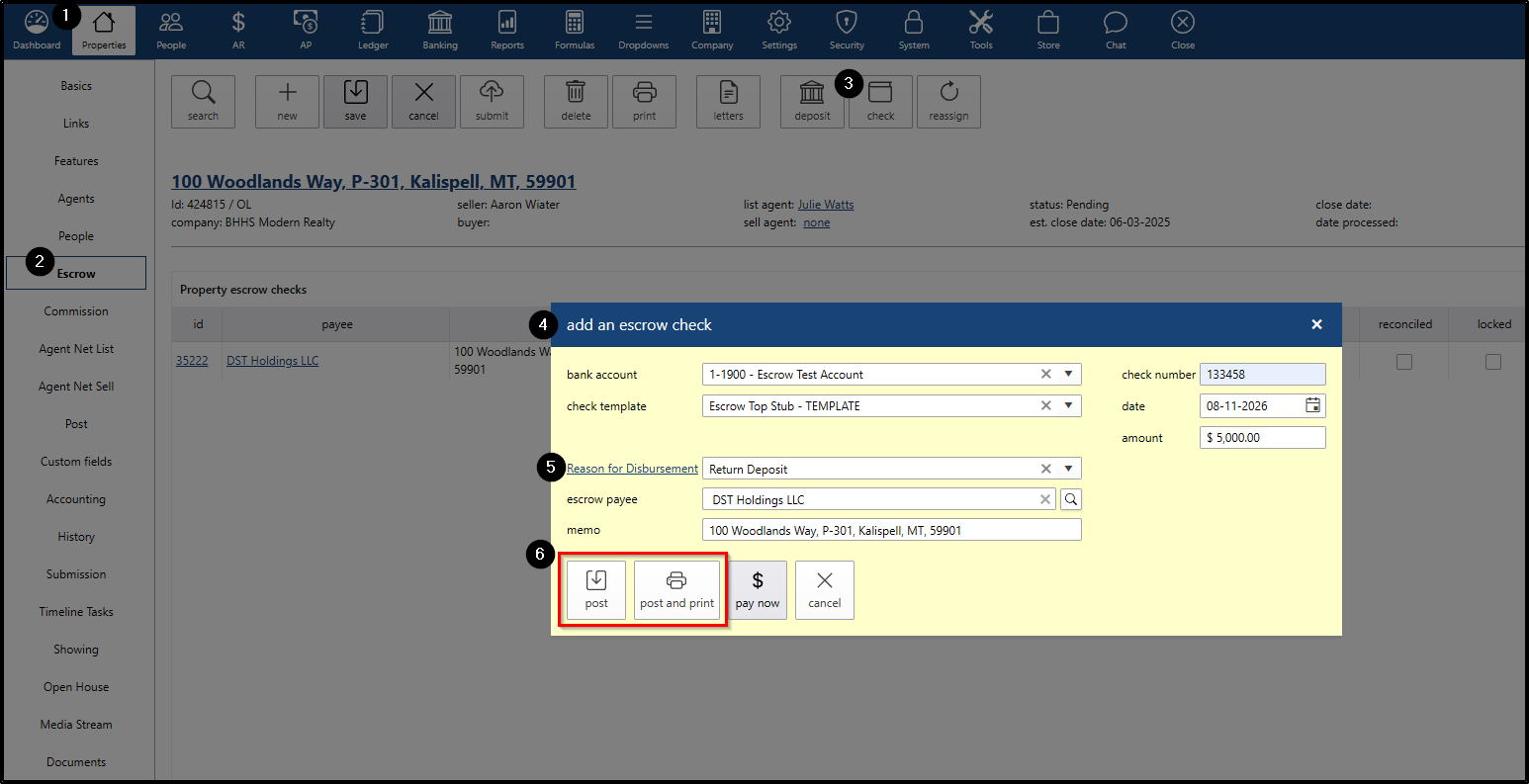
With this enhancement, darwin.cloud now provides a dedicated Reason for Disbursement dropdown within the Properties > Escrow > Check > Add an Escrow Check window.
Instead of manually entering the reason in the Memo field, users can select a standardized reason from a predefined list.
The Memo field can still be used for additional details or information that needs to appear on the check.
Common Disbursement Scenarios
The following are examples of reasons that may be available in the Reason for Disbursement dropdown:
- Transfer to Closing Agent: Sending escrow funds to a title company, attorney, or other closing agent for settlement.
- Return Deposit: Returning a buyer’s deposit following a legally terminated or cancelled contract.
- Commission Transfer: Transferring earned commission funds from the escrow/trust account to the appropriate operating account after closing.
- Cancelled Refund: Returning funds associated with a cancelled transaction or correcting a previously voided or lost check.
- Liquidated Damages: Disbursing forfeited deposit funds to the seller when permitted under the applicable agreement and brokerage procedures.
Managing the Reason for Disbursement Dropdown
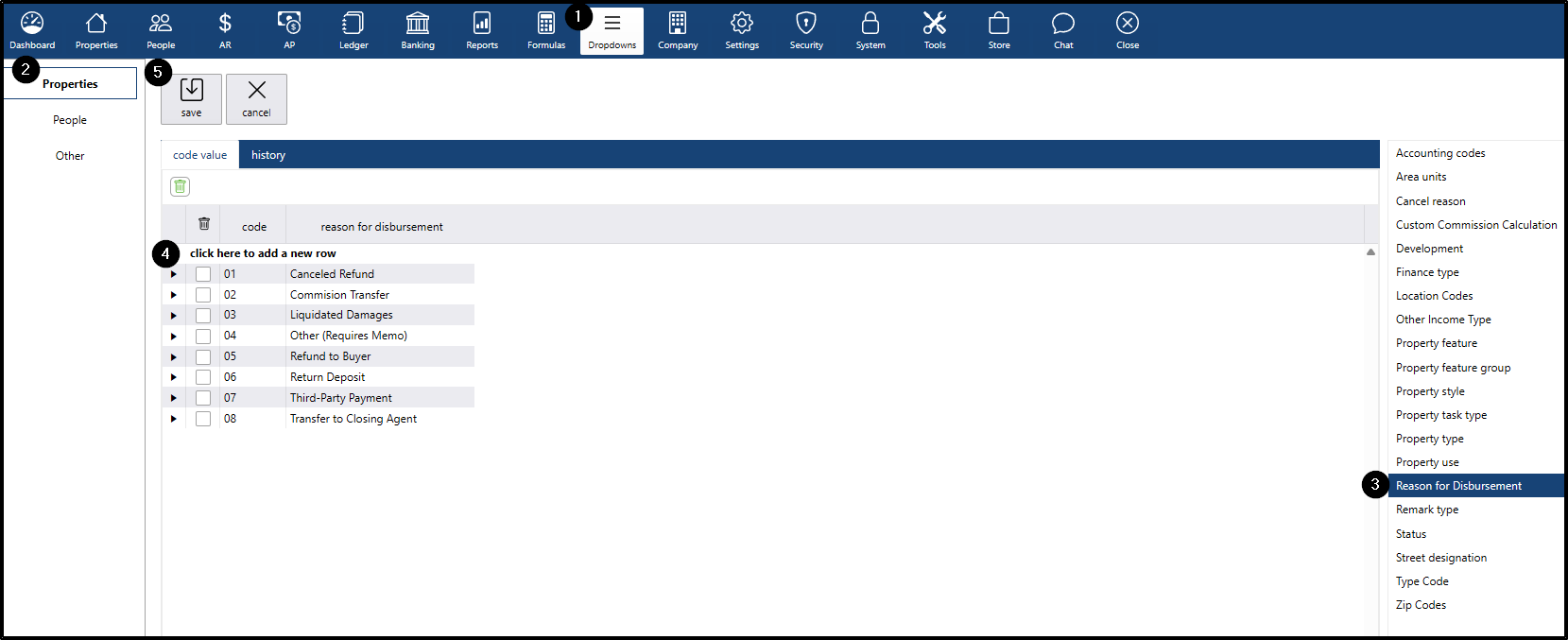
Administrators can add or edit the available reasons from the Dropdowns menu.
- Go to the Dropdowns menu
- Go to the Properties submenu
- On the right side, click the Reason for Disbursement
- To add a new item, click the "click here to add a new row"
- enter the appropriate code
- enter the a new reason
- press the Enter key on keyboard to add the item
- Click the save button
End-to-end process
Users can select a Reason for Disbursement when creating an escrow check.
- Go to the Properties menu and search for a property with an escrow deposit.
- Open the property and go to the Escrow submenu
- Click the check button to create an escrow check
- Enter the required check information, such as:
- Check Number
- Check Date
- Check Amount
- Select the appropriate reason for disbursement from the dropdown
- Click post or post and print
Where the Reason for Disbursement Appears
One of the key benefits of using a dedicated field instead of relying solely on the Memo field is that the information can be used consistently throughout the system.
Reports
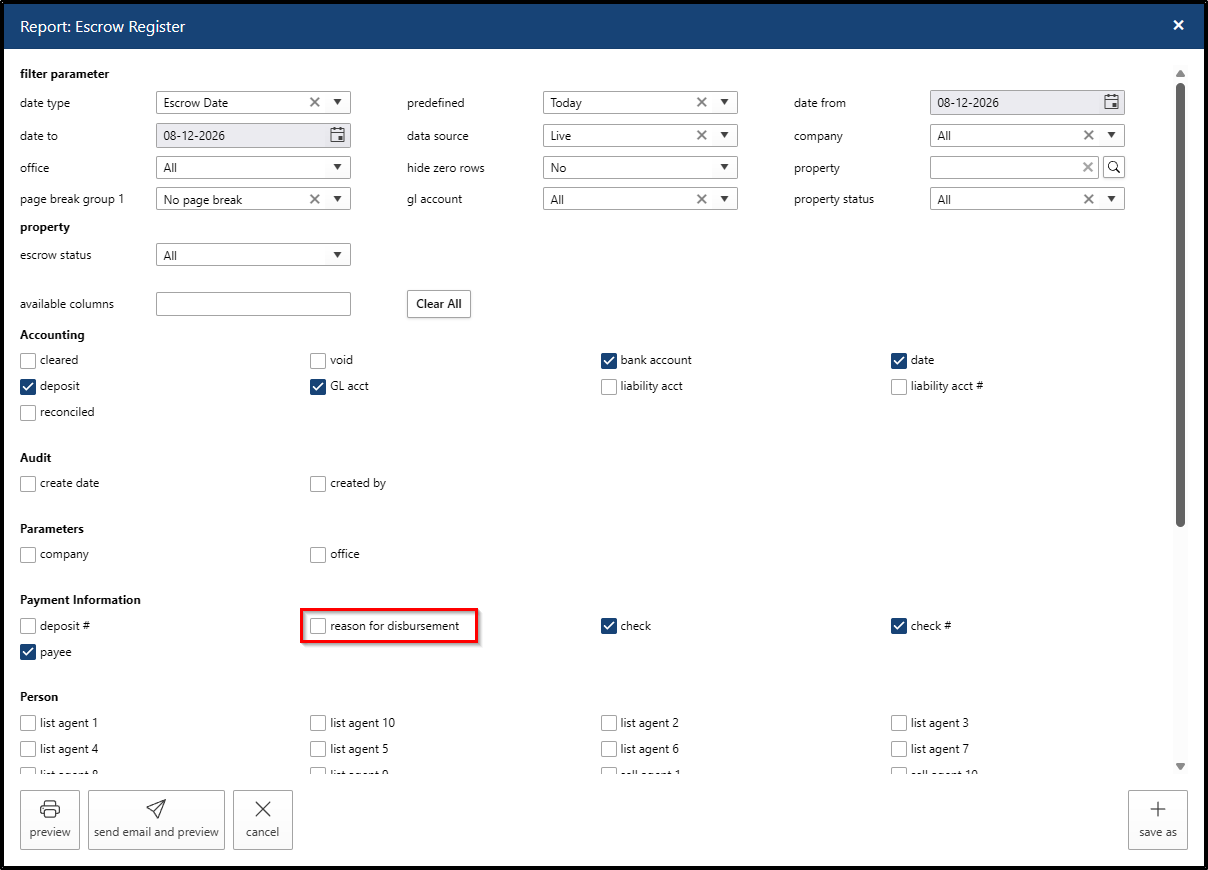
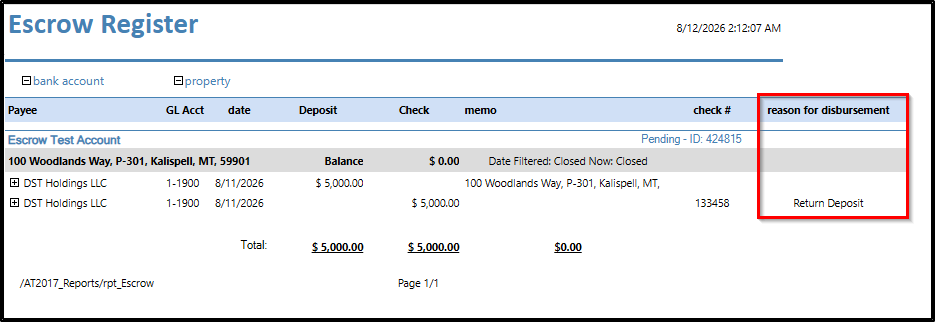
The Reason for Disbursement column is added to the Escrow Register report.
Check Templates
The Reason for Disbursement can also be used as a merge field in Escrow check templates.
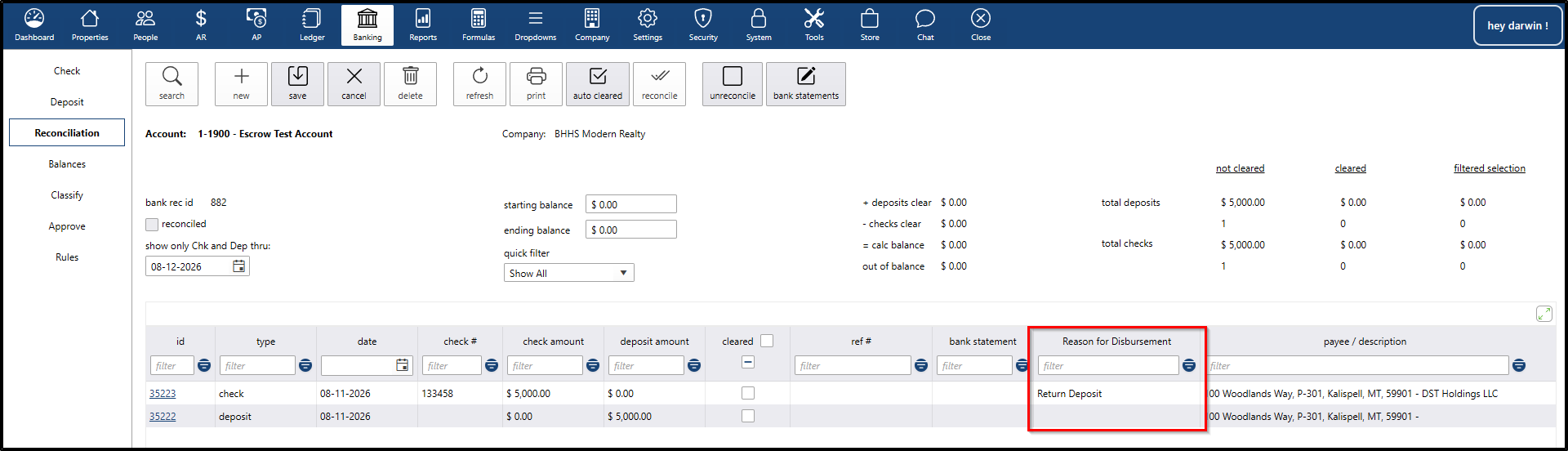
Bank Reconciliation
The Reason for Disbursement is also available when reviewing applicable escrow transactions during Bank Reconciliation.
Conclusion
The Memo field remains available for additional transaction-specific information, while the new Reason for Disbursement field provides a structured way to identify the purpose of the escrow disbursement.