Overview
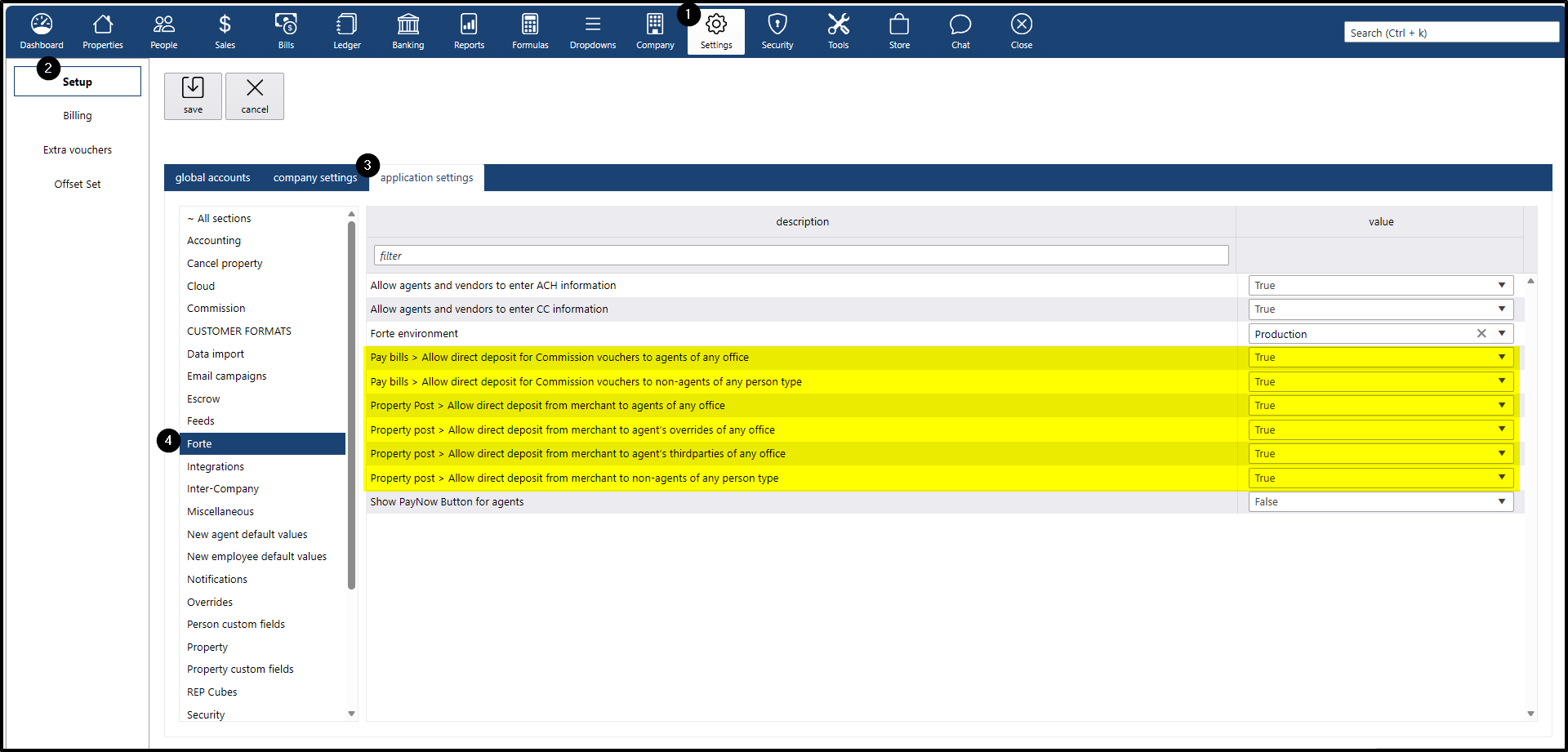
The Forte section under the Application Settings allows administrators to configure direct deposit permissions for commission-related and property-related payments. These settings determine which types of recipients—agents, non-agents, overrides, and third parties—are eligible to receive funds via direct deposit through the integrated merchant account
Navigation
To locate this setting, navigate to:
- Settings menu
- Setup submenu
- Application settings tab
- Forte section
The Forte setting section is divided into two main areas
Pay Bills
- Allow direct deposit for Commission vouchers to agents of any office
- Allow direct deposit for Commission vouchers to non-agents of any person type
Property Post
- Allow direct deposit from merchant to agents of any office
- Allow direct deposit from merchant to agent’s overrides of any office
- Allow direct deposit from merchant to agent’s third parties of any office
- Allow direct deposit from merchant to non-agents of any person type